
User Guide




5-77190-00552-00 Rev. A
Garmin G1000 Pilot’s Guide for the Columbia 350/400
GPS NAVIGATION
MENU OPERATIONS
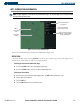
The following options are available by pressing the MENU Key (with the User Waypoint Information Page
displayed):
• Delete All User Waypoints
• View Recent User WPT List
• Use Present Position
• Auto Comment
• Create New User Waypoint
• Delete User Waypoint
• Rename User Waypoint
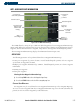
‘Delete All User Waypoints’ deletes all user waypoints from memory.
Deleting all user waypoints:
1) Select the User Waypoint Information Page.
2) Press the
MENU
Key.
3) Select ‘Delete All User Waypoints’
4) Press
the
ENT
Key. A confirmation windows is displayed.
5) Press the
ENT
Key to accept ‘YES’ or highlight ‘NO’.
6) Press the
ENT
Key.
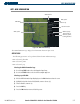
‘View Recent User WPT List’ displays the most recent user waypoint list.
Viewing the most recent user waypoint list:
1) Select the User Waypoint Information Page.
2) Press the
MENU
Key to display the User Waypoint Information Page Menu.
3) Select ‘View Recent User WPT List’.
4) Press
the
ENT
Key. Select a waypoint from the list (16 maximum are listed).
5) Press the
ENT
Key. The selected waypoint is now the active user waypoint.
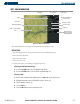
‘Present Position’ when selected will move the currently selected user waypoint to the present position of
the aircraft. The user waypoint is set to the airplane’s position at the time when the option was selected.
Moving the currently selected user waypoint to the present position of the aircraft:
1) Select the User Waypoint Information Page and press the
MENU
Key.
2) Select ‘Use Present Position’.
3) Press
the
ENT
Key.
4) Highlight the position and press
the
ENT
Key.