
User Guide




5-74
GPS NAVIGATION
190-00552-00 Rev. A
Garmin G1000 Pilot’s Guide for the Columbia 350/400
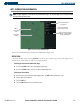
The following options are available by pressing the MENU Key (with the VOR Information Page
displayed):
• ‘View Recent VOR List’ which displays the most recent VOR list.
Viewing the most recent VOR list:
1) Select the VOR Information Page.
2) Press the
MENU
Key. ‘View Recent VOR List is highlighted’.
3) Press the
ENT
Key.
4) Select a VOR from the list (16 maximum are listed).
5) Press the
ENT
Key. The selected VOR is now the active user VOR.
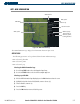
Figure 5-49 Recent VOR List
List of Recent
VORs