
User Guide






5-17
GPS NAVIGATION
190-00552-00 Rev. A
Garmin G1000 Pilot’s Guide for the Columbia 350/400
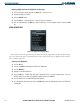
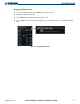
Changing the flight plan name:
1) From the Active Flight Plan Page, press the
FMS
Knob
to activate the cursor.
2) Highlight the Flight Plan name field.
3) Turn the
FMS
Knobs to change or edit the name (Figure 5-14).
4) Press the
ENT
Key. Note that the title only changes on the Active Flight Plan Page, not the Flight Plan Catalog
Page.
Figure 5-14 Changing Flight Plan Name