
User Guide






Garmin G1000 Pilot’s Guide for the Columbia 350/400
190-00552-00 Rev. A4-34
AUDIO PANEL AND CNS
When loading or activating an approach, the primary NAV frequency may be loaded into the NAV Tuning Box
by highlighting the frequency in the Primary Frequencies Box on the PROC – Approach Loading Page using the
FMS
Knob, then pressing the
ENT
Key.
If the system is in GPS Mode when a VOR/ILS approach is loaded or activated, the Approach Primary NAV
Frequency is automatically loaded into the active field of NAV1.
The NAV frequency is also automatically loaded upon vector-to-final activation, if the NAV frequency is not
already loaded in the selected NAV radio. An approach can also be activated with the
MENU
Key when the
Flight Plan Window is open, or from the Active Flight Plan Page Menu.
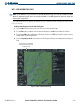
Auto-tuning a NAV frequency if the desired approach is already loaded:
1) Press the
PROC
Key to open the Procedures Window.
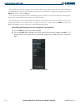
2) Turn the large
FMS
Knob to highlight the ‘ACTIVATE APPROACH’ Menu Option and press the
ENT
Key. The
approach primary NAV frequency becomes automatically loaded into the standby field of the selected NAV
radio.
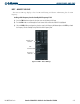
Figure 4-39 Activating an Approach