
User Guide



190-00552-00 Rev. A
Garmin G1000 Pilot’s Guide for the Columbia 350/400
4-27
AUDIO PANEL AND CNS
WPT – AIRPORT INFORMATION PAGE
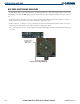
The Airport Information Page displays runway information and a list of frequencies for the selected airport
identifier as well as departure, arrival, and approach information.
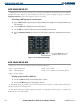
Displaying the entire list of frequencies for an airport:
1) On the Airport Information Page, select the
INFO
Softkey to display runway and frequency information for a
specific airport.
2) Press the
FMS
Knob to activate the selection cursor on the page.
3) Turn the
FMS
Knob to select the desired airport identifier and press the
ENT
Key. A list of all available frequencies
for the selected airport appears.
Selected Airport
Identifier and
Information
Frequencies
used at KIXD
Airport
Runway
Information
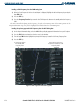
Figure 4-32 WPT – Airport Information Page