
User Guide



190-00552-00 Rev. A
Garmin G1000 Pilot’s Guide for the Columbia 350/400
4-21
AUDIO PANEL AND CNS
AUTOMATIC SQUELCH
Automatic Squelch quiets unwanted static noise when no audio signal is received, while still providing
reasonable sensitivity to weak COM signals. To disable Automatic Squelch, press the
VOL/PUSH SQ
Knob.
When Automatic Squelch is disabled, COM audio reception is always on. Continuous static noise is heard
over the speaker and phones.
Pressing the
VOL/PUSH SQ
Knob again enables Automatic Squelch.
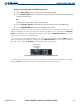
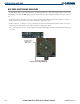
Pressing the COM
VOL
Knob turns off
Automatic Squelch. Pressing again
restores Automatic Squelch
Figure 4-23 Overriding Automatic Squelch
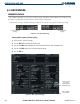
SELECTING A COM RADIO
NOTE: When PA Mode is selected on the Audio Panel, the COM MIC Annunciator is no longer lit and the
active COM frequency changes to white, indicating that there is no COM activity.
NOTE: Refer to the Audio Panel Description for more details on transceiver selection.
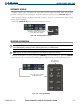
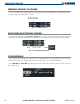
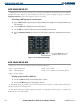
The desired COM radio is selected by pressing the
COM MIC
keys on the Audio Panel. When the
COM MIC
Key is annunciated, the associated active COM frequency is displayed in green in the COM Frequency Box.
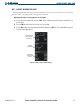
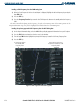
Figure 4-24 Selecting a COM Radio
This COM radio is selected
on the Audio Panel.
Top Section of
the Audio Panel