
User Guide


Garmin G1000 Pilot’s Guide for the Cessna Citation Mustang
190-00494-00 Rev. B
2-30
FLIGHT INSTRUMENTS
2.4 PFD ANNUNCIATIONS AND ALERTING FUNCTIONS
The following annunciations and alerting functions are displayed on the PFD. Refer to Appendix A for more
information on alerts and annunciations.
SYSTEM MESSAGES WINDOW
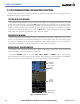
The System Messages Window conveys messages to the flight crew regarding problems with the G1000
System. When a new message is issued, the MSG Softkey flashes to alert the flight crew. It continues to flash
until pressed, which opens the System Messages Window and acknowledges the message(s) which initiated the
flashing. When the window is open, acknowledged messages turn gray. Messages generated while the window
is open are not automatically displayed, but cause the MSG Softkey to begin flashing again. Pressing the MSG
Softkey while the System Messages Window is open closes the window.
COMPARATOR WINDOW
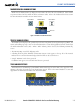
Critical values generated by redundant sensors are monitored by comparators. If differences in the sensors
exceed a specified amount, the Comparator Window appears in the upper right corner of the PFD and the
discrepancy is annunciated in the Comparator Window as a ‘MISCOMP’ (miscompare). If one or both of the
sensed values are unavailable, it will be annunciated as a ‘NO COMP’ (no compare).
REVERSIONARY SENSOR WINDOW
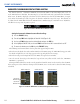
Reversionary sensor selection is annunciated in a window on the right side of the PFD. These annunciations
reflect reversionary sensors selected on one or both PFDs.
Pressing the
SENSOR Softkey accesses the ADC1, ADC2, AHRS1, and AHRS2 softkeys. These softkeys
allow switching of the sensors being viewed on each PFD. With certain types of sensor failures, the G1000 may
make some sensor selections automatically. The GPS sensor cannot be switched manually.
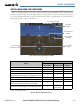
Figure 2-43 G1000 Alerting System
System
Messages
Window
Softkey Flashes for
New Message
Comparator
Window
Reversionary
Sensor
Window