
User Guide


Garmin G1000 Pilot’s Guide for the Cessna Citation Mustang
190-00494-00 Rev. B
2-26
FLIGHT INSTRUMENTS
TIMER/REFERENCES WINDOW
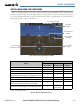
The Timer/References Window is enabled/disabled by pressing the
TMR/REF
Softkey and provides access to
the following settings:
• Generic timer
• Vspeed values and flags (see Airspeed Indicator discussion)
• Barometric minimum descent altitude (MDA, DH; see Section 2.4)
• Destination elevation
• Flight ID (see Audio Panel and CNS Section)
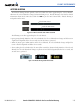
Figure 2-38 Timer/References Window
GENERIC TIMER
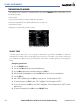
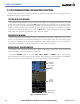
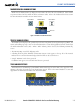
The PFD generic timer can be set to count up or down from a specified time (HH:MM:SS). When the
countdown on the timer reaches zero the digits begin to count up. If the timer is reset before reaching zero
on a countdown, the digits are reset to the initial value. If the timer is counting up when reset, the digits are
zeroed.
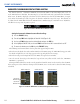
Setting the generic timer:
1) Press the
TMR/REF
Softkey.
2) Turn the
large FMS
Knob to select the time field (hh/mm/ss).
3) Use the FMS Knob to enter the desired time and press the
ENT
Key.
4) With the UP/DN field highlighted, turn the
small FMS
Knob to select the timer counting direction.
5) Press the
ENT
Key.
6) With ‘START?’ highlighted, press the
ENT
Key to start the timer. The field changes to ‘STOP?’.
7) To stop the timer, press the ENT Key with ‘STOP?’ highlighted. The field changes to ‘RESET?’.
8) To reset the timer, press the ENT Key with ‘RESET?’ highlighted. The field changes back to ‘START?’ and the
digits are reset.
9) To remove the window, press the
CLR
Key or the
TMR/REF
Softkey.