
User Guide


190-00494-00 Rev. B
Garmin G1000 Pilot’s Guide for the Cessna Citation Mustang
2-25
FLIGHT INSTRUMENTS
2.3 SUPPLEMENTAL FLIGHT DATA
NOTE: Pressing the DFLTS Softkey (a second-level PFD softkey) turns off metric Altimeter display, the Inset
Map, and wind data.
Some displayed information disappears when pitch exceeds +30˚/-20˚ or bank exceeds 65˚. The Altimeter and
Airspeed, Attitude, Vertical Speed, and Horizontal Situation indicators remain on the display and the Bearing
Information, Comparator, and Reversionary Sensor windows can be displayed during such situations. The
following information is removed from the PFD (and corresponding softkeys are disabled) when the aircraft
experiences unusual attitudes:
• Traffic Annunciations
• AFCS Annunciations
• Flight director Command Bars
• Inset Map
• Temperatures
• DME Information Window
• Wind data
• Selected Heading Box
• Selected Course Box
• Transponder Status Box
• System Time
• PFD Setup Menu
• Windows displayed in the lower
right corner of the PFD:
– Timer/References
– Nearest Airports
– Flight Plan
– Messages
– Procedures
– ADF/DME Tuning
• Barometric Minimum Descent
Altitude Box
• Vertical Deviation, Glideslope,
and Glidepath Indicators
• Altimeter Barometric Setting
• Selected Altitude
• VNV Target Altitude
TEMPERATURE DISPLAYS
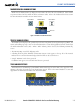
The Ram Air Temperature (RAT) and deviation from International Standard Atmosphere (ISA) temperature
are displayed in the lower left of the PFD under normal conditions, or underneath the Airspeed Indicator in
reversionary display mode. Both are displayed in degrees Celsius (°C).
Normal Display Reversionary Mode
Figure 2-37 Ram Air Temperature and ISA Temperature Deviation