
User Guide




190-00494-00 Rev. B
Garmin G1000 Pilot’s Guide for the Cessna Citation Mustang
B-3
APPENDIX B
new databases onto the existing Supplemental Data Cards. Equipment required to perform the update is as
follows:
• Windows-compatible PC computer (Windows 2000 or XP recommended)
• SanDisk SD Card Reader, P/Ns SDDR-93 or SDDR-99 or equivalent card reader
• Updated database obtained from the Garmin website
• Existing 010-00330-42 Supplemental Database SD Cards from both PFD and MFD
After the data has been copied to the appropriate data cards, perform the following steps:
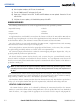
1) Insert one SD card in the bottom card slot of the MFD and one in the bottom card slot of each PFD. The SD card
containing the ChartView or FliteCharts database must be inserted into the bottom slot on the MFD.
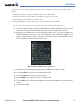
2) Apply power to the G1000 System. View the MFD power-up splash screen. Check that the databases are
initialized and displayed on the splash screen. When updating the terrain and FliteCharts databases, an ‘in
progress’ message may be seen. If this message is present, wait for the system to finish loading before verifying
the correct databases are initialized, then proceed to step 3.
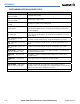
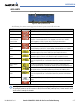
Figure B-3 Database Information on the Splash Screen
3) Acknowledge the Power-up Page agreement by pressing the
ENT
Key or the right most softkey.
4) Turn the large FMS Knob to select the AUX Page group on the MFD.
5) Turn the small FMS Knob to select the System Status Page.
6) Press the DBASE Softkey to place the cursor in the ‘DATABASE’ box.
7) Turn either FMS Knob to scroll through the database list and check that all databases are current and there are
no errors.
8) Power down the G1000.