
User Guide






190-00494-00 Rev. B
Garmin G1000 Pilot’s Guide for the Cessna Citation Mustang
A-3
APPENDIX A
REVERSIONARY SENSOR ANNUNCIATIONS
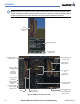
Reversionary sensor selection is annunciated in the Reversionary Sensor Window, as shown in Figure A-2.
These annunciations reflect reversionary sensors selected on one or both PFDs. Pressing the
SENSOR
Softkey
gives access to
ADC1
,
ADC2
,
AHRS1
, and
AHRS2
Softkeys. These softkeys allow manual switching of sensors. In
the case of certain types of sensor failures, the G1000 may make some sensor selections automatically. The GPS
sensor cannot be switched manually.
Figure A-2 Reversionary Sensor Windows
Reversionary
Sensor
Window
Reversionary Sensor
Window Text
Condition
BOTH ON ADC1 Both PFDs are displaying data from the #1 Air Data Computer.
BOTH ON ADC2 Both PFDs are displaying data from the #2 Air Data Computer.
BOTH ON AHRS1 Both PFDs are displaying data from the #1 AHRS.
BOTH ON AHRS2 Both PFDs are displaying data from the #2 AHRS.
BOTH ON GPS1 Both PFDs are displaying data from the #1 GPS receiver.
BOTH ON GPS2 Both PFDs are displaying data from the #2 GPS receiver.
XSIDE ADC The PFD displaying this annuncation is displaying data from the cross-side Air Data Computer.
XSIDE AHRS The PFD displaying this annunciation is displaying data from the cross-side AHRS.
G1000 SYSTEM ANNUNCIATIONS
When a new message is issued, the
MSG
Softkey will flash to alert the flight crew of a new message. It
will continue to flash until acknowledged by pressing the softkey. Active messages are displayed in white
text. Messages that have become inactive will change to gray text. The
MSG
Softkey will flash if the state of
a displayed message changes or a new message is displayed. The inactive messages can be removed from the
Message Window by pressing the flashing
MSG
Softkey.
The G1000 System Messages conveys messages to the flight crew regarding problems with the G1000 system.
Typically, a large red “X” appears in a window when a related LRU fails or detects invalid data.
When an LRU or an LRU function fails, a large red “X” is typically displayed on windows associated with the
failed data. The following section describes various system annunciations. Refer to the AFM for additional
information regarding pilot responses to these annunciations.