
User Guide






Garmin G1000 Pilot’s Guide for the Cessna Citation Mustang
190-00494-00 Rev. B8-52
ADDITIONAL FEATURES
PRESETS
Up to 15 channels from any category can be assigned a preset number. The Preset channels are selected by
pressing the PRESETS and MORE Softkeys. Then the preset channel can be selected directly and added to
the channel list for the Presets category.
Setting a preset channel number:
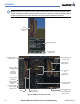
1) On the XM Radio Page, while listening to an Active Channel that is wanted for a preset, press the PRESETS
Softkey to access the first five preset channels (PS1 - PS5).
2) Press the MORE Softkey to access the next five channels (PS6 – PS10), and again to access the last five
channels (PS11 – PS15). Pressing the MORE Softkey repeatedly cycles through the preset channels.
3) Press any one of the (PS1 - PS15) softkeys to assign a number to the active channel.
4) Press the SET Softkey on the desired channel number to save the channel as a preset.
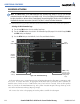
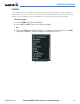
Figure 8-60 Accessing and Selecting XM Preset Channels
Press
PRESETS
to
Access the Preset
Channels Softkeys
Press
MORE
to
Cycle Through the
Preset Channels
Press
SET
to
Save Each
Preset Channel
VOLUME
Radio volume is controlled at each passenger station.