
User Guide





Garmin G1000 Pilot’s Guide for the Cessna Citation Mustang
190-00494-00 Rev. B8-40
ADDITIONAL FEATURES
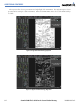
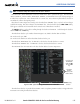
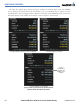
Pressing the FULL
SCN Softkey switches between showing the chart on the entire screen and including the
data window on the right with the chart in the center.
Figure 8-50 Airport Information Page, Full Screen and Info Window
Press
FULL SCN
Softkey to Switch
Between Full Screen
Chart and Chart With
Info Window
Pressing the BACK Softkey, or waiting for 45 seconds reverts to the chart selection softkeys.