
User Guide





Garmin G1000 Pilot’s Guide for the Cessna Citation Mustang
190-00494-00 Rev. B 8-37
ADDITIONAL FEATURES
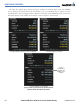
Pressing the WX Softkey shows the airport weather frequency information, when available, and includes
weather data such as METAR and TAF from the XM Data Link Receiver.
Selecting Additional Information:
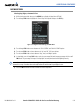
1) While viewing the Airport Taxi Diagram, press the WX Softkey to display the information windows (AIRPORT,
INFO).
2) Press the
FMS
Knob to activate the cursor.
3) Turn the large
FMS
Knob to highlight the INFO Box.
4) Turn the small
FMS
Knob to select the INFO Box choices. If multiple choices are available, scroll to the desired
choice with the large
FMS
Knob and press the ENT Key to complete the selection.
5) Press the
FMS
Knob again to deactivate the cursor.
Chart Not
To Scale
WX
Softkey
Selected
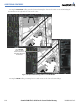
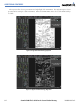
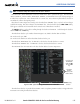
Figure 8-47 Weather Information Page
Info Available
on This
Airport
WX Info on
This Airport
When
Available
Pressing the GO
BACK Softkey reverts to the previous page (Navigation Map Page or Flight Plan Page).