
User Guide





Garmin G1000 Pilot’s Guide for the Cessna Citation Mustang
190-00494-00 Rev. B 8-27
ADDITIONAL FEATURES
NOTE
: A subdued softkey label indicates the function is disabled.
The ChartView time critical information can also be found on the AUX - System Status page. The database
‘CYCLE’ number, ‘EXPIRES’, and ‘DISABLES’ dates of the ChartView subscription appear in either blue or yellow
text. When the ChartView ‘EXPIRES’ date is reached, ChartView becomes inoperative 70 days later. This is shown
as the ‘DISABLES’ date. When the ‘DISABLES’ date is reached, charts are no longer available for viewing. The
SHW CHRT
Softkey label then appears subdued and is disabled until a revised issue of ChartView is installed.
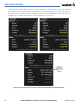
The ChartView database cycle number shown in Figure 8-33, ‘0613’ is broken down as follows:
06 – Indicates the year 2006
13 – Indicates the 13th issue of the ChartView database for the year
The ‘EXPIRES’ date “13–JUL–06” is the date that this database should be replaced with the next issue.
The ‘DISABLES’ date “21–SEP–06” is the date that this database becomes inoperative.
Figure 8-33 AUX – System Status Page, ChartView Current and Available
Scroll Through
the Database
Window with
the
FMS
Knob
ChartView
Expires and
Disables
Dates
DBASE
Softkey
Selected
The ChartView database is provided directly from Jeppesen. Refer to Updating Jeppesen Databases in
Appendix B for instructions on revising the ChartView database.