
User Guide




Garmin G1000 Pilot’s Guide for the Cessna Citation Mustang
190-00494-00 Rev. B 8-11
ADDITIONAL FEATURES
SHOW CHART OPTIONS
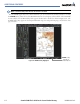
Pressing the CHRT Softkey switches between the ChartView diagram and the navigation map (SafeTaxi
airport diagram at selected ranges) on the Airport Information Page.
Figure 8-13 Airport Information Page, SafeTaxi and ChartView
Press
CHRT
Softkey
to Switch Between
SafeTaxi and ChartView
Airport Diagram
Position of
Aircraft on
Chart