
User Guide





190-00494-00 Rev. B
Garmin G1000 Pilot’s Guide for the Cessna Citation Mustang
1-30
SYSTEM OVERVIEW
MFD PAGE GROUPS
NOTE: Refer to the GPS Navigation, Hazard Avoidance, and Additional Features sections for details on
specific pages.
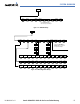
The page group and active page title box are displayed in the upper center of the screen, below the Navigation
Status Box.
Page Group Active Page Title
Figure 1-24 Page Title Box
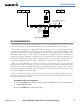
In the bottom right corner of the screen, the current page group, number of pages available in the group, and
placement of the current page within the group are indicated.
Figure 1-25 Page Group Icons
Page Groups
Selected Page
Pages in Current Group
The MFD displays information in four main page groups; specific pages within each group can vary depending
on the configuration of optional equipment.
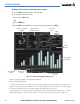
Selecting a page using the FMS Knob
1) Turn the
large FMS
Knob until the desired page group is selected.
2)
Turn
the
small FMS
Knob until the desired page is selected.
There are also several pages (Airport Information and XM Information pages) which are selected first from
within a main page group with the
FMS Knobs, then with the appropriate softkey at the bottom of the page. In
this case, the page remains set to the selected screen until a different screen softkey is pressed.