
User Guide






Garmin G1000 Pilot’s Guide for the Cessna Citation Mustang
190-00494-00 Rev. B
7-2
AFCS
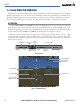
AFCS CONTROL UNIT
The AFCS Control Unit is positioned above the MFD, and has the following controls:
1
HDG Key
Selects/deselects Heading Select Mode
2
APR Key
Selects/deselects Approach Mode
3
NAV Key
Selects/deselects Navigation Mode
4
FD Key
Activates/deactivates the flight director only
Pressing once turns on the pilot-side flight director in the default vertical and lateral
modes. Pressing again deactivates the flight director and removes the Command
Bars. If the autopilot is engaged, the key is disabled.
5
XFR Key
Transfers between the active flight director and standby flight director
6
ALT Key
Selects/deselects Altitude Hold Mode
7
VS Key
Selects/deselects Vertical Speed Mode
8
FLC Key
Selects/deselects Flight Level Change Mode
9
17
CRS Knobs
Adjust the Selected Course in 1° increments on the Horizontal Situation Indicator
(HSI) of the corresponding PFD
Press to re-center the Course Deviation Indicator (CDI) and return course pointer
directly TO the bearing of the active waypoint/station
10
SPD Key
Toggles Airspeed Reference between IAS and Mach for Flight Level Change Mode
11
NOSE UP/DN
Wheel
Adjusts the reference in Pitch Hold, Vertical Speed, and Flight Level Change modes
(see Table 7-1 for change increments in each mode)
12
VNV Key
Selects/deselects Vertical Path Tracking Mode for Vertical Navigation flight control
13
ALT SEL Knob
Controls the Selected Altitude in 100-ft increments (a finer resolution of 10 feet is
available under approach conditions)
14
YD Key
Engages/disengages the yaw damper
15
AP Key
Engages/disengages the autopilot
16
BANK Key
Manually selects/deselects Low Bank Mode
18
BC Key
Selects/deselects Backcourse Mode
19
HDG Knob
Adjusts the Selected Heading and bug in 1° increments on the HSI (both PFDs)
Press to synchronize the Selected Heading to the current heading
1 2 3 4 5 6 7 8
10 917 16 15 14 13 12 111819
Figure 7-1 GMC 710 AFCS Control Unit
Annunciator Light