
User Guide






190-00494-00 Rev. B
Garmin G1000 Pilot’s Guide for Cessna Citation Mustang
6-61
HAZARD AVOIDANCE
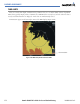
Figure 6-64 Inhibiting TAWS
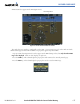
Inhibiting and enabling TAWS:
1) Select the TAWS Page.
2) Press the INHIBIT Softkey. To enable TAWS, press the INHIBIT Softkey again.
OR:
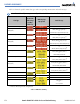
1) Press the MENU Key. ‘Inhibit TAWS’ or ‘Enable TAWS’ is highlighted.
2) Press the ENT Key. The TAWS system is inhibited or enabled, depending on the previous status. The annunciation
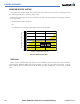
is displayed in the terrain annunciator field whenever terrain is inhibited.