
User Guide






Garmin G1000 Pilot’s Guide for Cessna Citation Mustang
190-00494-00 Rev. B6-22
HAZARD AVOIDANCE
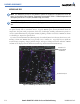
Figure 6-24 Freeze Level Data
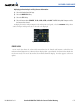
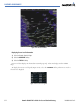
Displaying Freeze Level information:
1) Select the Weather Data Link Page.
2) Select the MORE WX Softkey.
3) Select the FRZ LVL Softkey.
Freeze Level data displays on the Weather Data Link page only. It does not display on other G1000
maps.
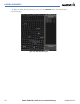
To display the Freeze Level legend (Figure 6-25), select the
LEGEND Softkey when Freeze Level is
selected to be displayed.
Figure 6-25 Freeze Level Legend