
User Guide






190-00494-00 Rev. B
Garmin G1000 Pilot’s Guide for Cessna Citation Mustang
6-21
HAZARD AVOIDANCE
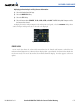
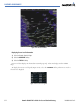
Displaying Surface Analysis and City Forecast information:
1) Select the Weather Data Link Page.
2) Select the MORE WX Softkey.
3) Select the SFC Softkey.
4) Select the forecast time: CURRENT, 12 HR, 24 HR, 36 HR, or 48 HR. The SFC Softkey label changes to reflect
the forecast time selected.
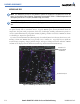
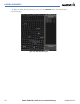
To display the Surface Analysis (Figure 6-23) and City Forecast legend, select the
LEGEND Softkey when
Surface Analysis and City Forecast are selected to be displayed.
Figure 6-23 Surface Analysis Legend
FREEZE LEVEL
Freeze Level data shows the color-coded contour lines for the altitude and location at which the first
isotherm is found (Figure 6-24). When no data is displayed for a given altitude, the data for that altitude has
not been received, or is out of date and has been removed from the display. New data appears at the next
update.