
User Guide






Garmin G1000 Pilot’s Guide for Cessna Citation Mustang
190-00494-00 Rev. B6-20
HAZARD AVOIDANCE
METAR data is displayed first in a decoded fashion, then as raw text. TAF information is displayed only in
its raw form.
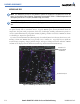
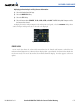
To display the METAR legend on the Weather Data Link Page (Figure 6-21), select the
LEGEND Softkey
when METARs are selected for display.
Figure 6-21 METAR Legend
SURFACE ANALYSIS AND CITY FORECAST
NOTE: Surface Analysis and City Forecast information display together. They only display within the installed
Aviation Database service area.
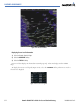
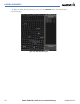
Surface Analysis and City Forecast information is available for current and forecast weather conditions.
Forecasts are available for intervals of 12, 24, 36, and 48 hours. Surface Analysis and City Forecast
information display on the Weather Data Link Page (Figure 6-22).
Figure 6-22 Surface Analysis - 36 Hours