
User Guide



GPS NAVIGATION
5-145190-00494-00 Rev. B
Garmin G1000 Pilot’s Guide for the Cessna Citation Mustang
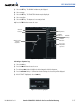
Removing an approach from a direct-to or active flight plan:
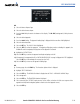
1) From the Flight Plan Window, select the MENU Key.
2) Highlight ‘Remove Departure’, ‘Remove Arrival’, or ‘Remove Approach’
3) Select the ENT Key. A confirmation window appears listing the procedure that is about to be removed with ‘OK’
highlighted.
4) Select the ENT Key.
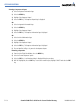
Another Procedures Window option allows the pilot to select vectors to the final approach course.
Activating a (previously loaded) approach, with vectors to final:
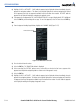
1) Select the
PROC
Key to display the Procedures Window.
2) Highlight ‘ACTIVATE VECTOR-TO-FINAL’ and select the
ENT
Key.
In many cases, it may be easiest to “Load” the full approach while still some distance away, enroute to
the destination airport. Later, if vectored to final, use the steps above to select ‘Activate Vector-To-Final’
— which makes the inbound course to the FAF waypoint active. Otherwise, activate the full approach using
the ‘ACTIVATE APPROACH’ option.
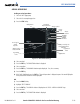
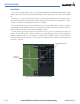
Activating a missed approach in the active flight plan:
1) Select the
PROC
Key.
2) Highlight ‘ACTIVATE MISSED APPROACH’.
3) Select the
ENT
Key. A confirmation window will be displayed.
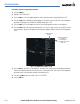
4) With ‘ACTIVATE’ highlighted, select the
ENT
Key.