
User Guide



GPS NAVIGATION
5-138 190-00494-00 Rev. B
Garmin G1000 Pilot’s Guide for the Cessna Citation Mustang
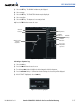
Viewing a Departure Airport:
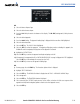
1) Select the Departure Information Page.
2) Select the
MENU
Key.
3) Highlight ‘View Departure Airport’.
4) Select the
ENT
Key. The Departure Airport Page is displayed.
OR:
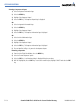
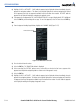
1) Select the Approach Information Page.
2) Select the
MENU
Key.
3) Highlight ‘View Departure Airport’.
4) Select the
ENT
Key. The Departure Information Page is displayed.
OR:
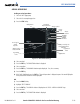
1) Select the Arrival Information Page.
2) Select the
MENU
Key.
3) Highlight ‘View Departure Airport’.
4) Select the
ENT
Key. The Departure Information Page is displayed.
5) Enter an identifier, facility, or city name for the departure airport.
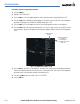
Removing a departure:
1) From the Active Flight Plan Window, select the
MENU
Key.
2) Select the ‘Remove Departure’ option.
3) Select the
ENT
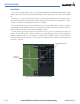
Key. A confirmation window is displayed listing the procedure.
4) With ‘OK’ highlighted, select the
ENT
Key. To cancel the removal request, highlight ‘CANCEL’ and select the
ENT
Key.