
User Guide




GPS NAVIGATION
5-108 190-00494-00 Rev. B
Garmin G1000 Pilot’s Guide for the Cessna Citation Mustang
NAVIGATING AN EXAMPLE FLIGHT PLAN
This section gives an example of navigating a flight plan using the G1000 WAAS-capable system. The sample
flight plan shows the G1000 providing both vertical and lateral guidance in a typical flight scenario. A lateral
flight plan (LNAV) would be navigated in much the same way, but would not include the vertical guidance
when the final approach course is active.
The sample flight plan departs KMKC with KCOS as the final destination. The flight plan uses the WLDCT2
departure with the transition at SLN, various Victor Airways, and the DBRY1 arrival with the transition at
TBE. Enroute altitude is 12,000 feet. An LPV (WAAS) approach will be selected for runway 35R. See the
Automatic Flight Control section for a discussion on flying a flight plan using vertical guidance with the autopilot
coupled.
1) Prior to departure, the WLDCT2 departure, the airways, and the DBRY1 arrival at KCOS are loaded into the flight
plan. See the Procedures section for information on how to load departures and arrivals. Note the magenta
arrow in Figure 5-89 indicating the active departure leg. In this example the departure will be flown as loaded,
without vectors.
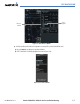
2) Figure 5-89 shows the aircraft being flown to intercept the MCI to KENTN leg of the departure. ‘TERM’
(Terminal) is the current CDI flight phase displayed on the HSI indicating 1.0 nm CDI scaling. Note the crosstrack
(XTK) distance on the CDI is indicating 9.07 nautical miles to the intercept point.
Figure 5-89 Departing KMKC
Flight Plan
Example
Cross Track
Distance
(XTK)
Terminal
Phase of
Flight
Active
Departure
Leg