
User Guide


GPS NAVIGATION
5-93190-00494-00 Rev. B
Garmin G1000 Pilot’s Guide for the Cessna Citation Mustang
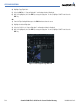
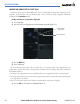
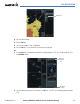
Figure 5-77 Airway List
Airway List
6) Select the desired airway.
7) Press the ENT Key.
8) Select the exit waypoint. ‘Load’ is highlighted.
9) Press the ENT Key. The selected airway is inserted into the flight plan.
OR:
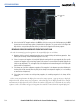
1) Turn the FMS Knob. The Waypoint Information Box is displayed (Figure 5-78). Enter the desired airway. Press
the LD AIRWY Softkey.
Figure 5-78 Waypoint Information Box
LD AIRWY
Softkey
Waypoint
Information
Box
2) Select the desired airway from the list and press the ENT Key. The ‘EXIT’ list is immediately displayed (Figure
5-78).