
User Guide


GPS NAVIGATION
5-92 190-00494-00 Rev. B
Garmin G1000 Pilot’s Guide for the Cessna Citation Mustang
LOADING AN AIRWAY INTO A FLIGHT PLAN
Loading an airway into an existing flight plan consists of designating an airway and designating an exit
waypoint. Both procedures can be performed using a menu selection or using a waypoint information
window and the LD AIRWY softkey.
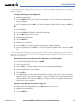
Loading an airway or a jetway into a flight plan:
1) Enter a flight plan.
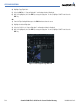
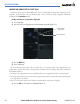
2) Place the cursor in the flight plan after the desired airway entry point (Figure 5-76).
Figure 5-76 Airway Insertion Point
Cursor Placement
Desired Airway
Entry Point
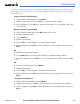
3) Press the MENU Key.
4) Select ‘Load Airway’.
The ‘Load Airway’ menu item is only selectable when an acceptable airway entry waypoint has been
indicated (the waypoint ahead of the cursor position). Therefore the ‘Load Airway’ menu item is subdued in
the following instances:
• An airway entry waypoint has not been established (there is no waypoint ahead of the cursor position)
• The airway entry waypoint is on an arrival or an approach procedure (it is OK if the airway insertion point
is on a departure or an airway)
• There are no selectable airways in the database starting from the airway entry waypoint.
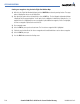
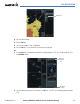
5) Press the ENT Key. The Airway List is displayed (Figure 5-77).