
User Guide





GPS NAVIGATION
5-86 190-00494-00 Rev. B
Garmin G1000 Pilot’s Guide for the Cessna Citation Mustang
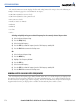
4) Select the ENT Key. An ‘Activate’ window is displayed.
5) With ‘Activate’ highlighted, select the ENT Key.
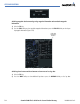
Figure 5-73 Activate Leg Menu Option
Whenever an approach, departure, or arrival is loaded into the active flight plan, a set of approach, departure
or arrival waypoints is inserted into the flight plan along with a header line describing the instrument procedure
the pilot selected. The original enroute portion of the flight plan remains active (unless an instrument procedure
is activated) when the procedure is loaded.
Flight plans can also be stored with an approach, departure, or arrival. The active flight plan is erased when
the system is turned off and overwritten when another flight plan is activated. When storing flight plans with
an approach, departure or arrival, the G1000 uses the waypoint information from the current database to define
the waypoints. If the database is changed or updated, the G1000 automatically updates the information if the
procedure has not been modified. If an approach, departure or arrival procedure is no longer available, the
procedure is deleted from the flight plan and an alert is displayed.
Storing an active flight plan from the Active Flight Plan Window:
1) Select the MENU Key.
2) Highlight ‘Store Flight Plan’.
3) Select the ENT Key.
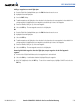
4) With ‘OK’ highlighted, select the ENT Key. The flight plan is stored in the next available position in the flight
plan list on the Flight Plan Catalog Window.
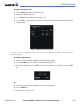
Figure 5-74 Store Confirmation Window