
User Guide





GPS NAVIGATION
5-85190-00494-00 Rev. B
Garmin G1000 Pilot’s Guide for the Cessna Citation Mustang
Changing the flight plan title:
1) Press the
FMS
Knob from the Active Flight Plan Page.
2) Highlight the Flight Plan Title Field.
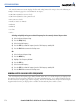
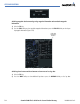
3) Turn the FMS Knobs to change/edit the title (Figure 5-71).
4) Select the ENT Key. Note that title only changes on the Active Flight Planning Window, not the Flight Planning
Catalog Window.
Figure 5-71 Flight Plan Title/Comment Field
‘Activate Leg’ selects the highlighted leg as the “active leg” (the flight plan leg which is currently used for
navigation guidance).
Activating a Flight Plan Leg:
1) From the Active Flight Plan Page, highlight the desired destination waypoint.
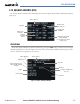
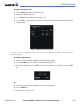
2) Press the ACT LEG Softkey. An ‘Activate’ window is displayed (Figure 5-72).
3) With ‘Activate’ highlighted, select the ENT Key. To cancel the operation, select ‘CANCEL’ and select the ENT
Key.
Figure 5-72 Activate Window
OR:
1) From the Active Flight Plan Page, highlight the desired destination waypoint.
2) Select the MENU Key.
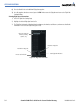
3) Select ‘Activate Leg’ (Figure 5-73).