
User Guide




190-00494-00 Rev. B
Garmin G1000 Pilot’s Guide for the Cessna Citation Mustang
1-11
SYSTEM OVERVIEW
1
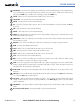
HDG Key
– Selects/deselects Heading Select Mode.
2
APR Key
– Selects/deselects Approach Mode.
3
NAV Key
– Selects/deselects Navigation Mode.
4
FD Key
– Activates/deactivates the flight director in the default pitch and roll modes. If the autopilot is
engaged, the
FD
Key is disabled.
5
XFR Key
– Switches the autopilot between the pilot-side and the copilot-side flight directors. This selection
also selects which air data computer is communicating with the active transponder and which PFD triggers
the altitude alert. Upon power-up, the pilot-side FD is selected.
6
ALT Key
– Selects/deselects Altitude Hold Mode.
7
VS Key
– Selects/deselects Vertical Speed Mode.
8
FLC Key
– Selects/deselects Flight Level Change Mode.
9
CRS2 Knob
– Sets the copilot-selected course on the HSI of PFD2 when the VOR1, VOR2, or OBS/SUSP
mode is selected. Pressing this knob centers the CDI on the currently selected VOR. The copilot-selected
course provides course reference to the copilot-side flight director when operating in Navigation and
Approach modes.
10
SPD Key
– Switches the Flight Level Change mode reference speed between IAS and MACH number.
11
NOSE UP/DN Wheel
– Controls the active mode reference for the Pitch, Vertical Speed, and Flight Level
Change modes.
12
VNV Key
– Selects/deselects Vertical Navigation mode.
13
ALT SEL Knob
– Sets the selected altitude in the Selected Altitude Box. In addition to providing the
standard G1000 altitude alerter function, selected altitude provides an altitude setting for the Altitude
Capture/Hold mode of the AFCS.
14
YD Key
– Engages/disengages the yaw damper.
15
AP Key
– Engages/disengages the autopilot.
16
BANK Key
– Selects/deselects Low Bank Mode.
17
CRS1 Knob
– Sets the pilot-selected course on the HSI of PFD1 when the VOR1, VOR2, or OBS/SUSP mode
is selected. Pressing this knob centers the CDI on the currently selected VOR. The pilot-selected course
provides course reference to the pilot-side flight director when operating in Navigation and Approach
modes.
18
BC Key
– Selects/deselects Back Course Mode.
19
HDG Knob
– Sets the selected heading on the HSI. When operating in Heading Select mode, this knob
provides the heading reference to the flight director.