
User Guide





GPS NAVIGATION
5-39190-00494-00 Rev. B
Garmin G1000 Pilot’s Guide for the Cessna Citation Mustang
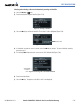
Selecting and activating a direct-to destination by entering an identifier:
1) Select the
Direct-to
( )
Key.
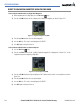
2) Enter the destination waypoint identifier (Figure 5-28).
Figure 5-28 Entering an Identifier
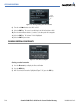
3) Select the
ENT
Key to confirm the identifier. The ‘Activate?’ field is highlighted (Figure 5-29).
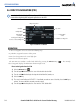
Figure 5-29 Activate Field
Activate Field
4) If no altitude constraint or course is desired, select the
ENT
Key to activate. To enter an altitude constraint,
proceed to step 5.
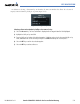
5) Turn the large
FMS
Knob to place the cursor over the ‘VNV’ altitude field (Figure 5-30).
Figure 5-30 Entering a Direct-to Altitude Constraint
VNV Altitude
Constraint
Field
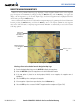
6) Enter the desired altitude.
7) Select the
ENT
Key. The option to select MSL or AGL is now displayed.