
User Guide





GPS NAVIGATION
5-29190-00494-00 Rev. B
Garmin G1000 Pilot’s Guide for the Cessna Citation Mustang
MEASURING BEARING AND DISTANCE
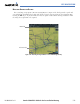
The second map setup option is ‘Measure Bearing/Distance’ (Figure 5-21), which provides a quick and
easy method for determining the bearing and distance between any two points on the Navigation Map.
Pressing the
ENT
Key at any location with the ‘Measure’ option enabled allows bearing and distance from
the newly selected position to be acquired.
Reference Point
Data Fields
Figure 5-21 Measuring Bearing and Distance on the MFD Navigation Map