
Cockpit Reference Guide


Garmin G1000H
™
Cockpit Reference Guide for the Bell 407GX
190-01254-00 Rev. B
58
Hazard Avoidance
Flight
InstrumentsEICAS
Nav/Com/
XPDR/AudioAFCSGPS Nav
Flight
PlanningProcedures
Hazard
Avoidance
Additional
Features
Abnormal
Operation
Annun/
AlertsAppendixIndex
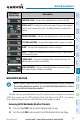
XM Weather Product
GFDS Worldwide Weather
Product
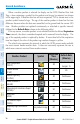
XM Lightning
(XM LTNG)
GFDS Lightning
(DL LTNG)
SIGMETs/AIRMETs
(SIG/AIR)
SIGMETs/AIRMETs
(SIG/AIR)
Meteorological Aerodrome Report
(METARs)
Meteorological Aerodrome Report
(METARs)
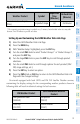
Winds Aloft
(WIND)
Winds Aloft
(WIND)
Pilot Weather Report
(PIREPs)
Pilot Weather Report
(PIREPs)
Restoring Default GFDS Weather Data Link Page Settings
1)
Select the GFDS Weather Data Link Page.
2)
Press the MENU Key.
3)
With ‘Weather Setup’ highlighted, press the
ENT
Key.
4)
Press the
MENU
Key.
5)
Highlight the desired default(s) to restore (all or for selection) and press
ENT Key.
Switching Between GFDS and XM Weather Sources
1)
Turn the large FMS Knob on the MFD to select the MAP page group.
2)
Turn the small FMS Knob to select the GFDS (or XM) Weather Data Link
Page.
3)
Press the MENU Key.
4)
Turn the large FMS Knob to select ‘Display GFDS Weather’ or ‘Display XM’
Weather’ (choice dependent on current weather source) and press the ENT
Key.
Viewing Legends for Displayed GFDS Weather Products
1)
Select the GFDS Weather Data Link Page.
2)
Select the LEGEND Softkey to display the legends for the displayed
weather products.