
Cockpit Reference Guide




Garmin G1000H
™
Cockpit Reference Guide for the Bell 407GX
190-01254-00 Rev. B
92
Additional Features
Flight
InstrumentsEICAS
Nav/Com/
XPDR/AudioAFCSGPS Nav
Flight
PlanningProcedures
Hazard
Avoidance
Additional
Features
Abnormal
Operation
Annun/
AlertsAppendixIndex
3)
Turn the small FMS Knob to select ENABLED or DISABLED.
4)
Press the ENT Key.
Sending a Transmission Manually
NOTE: Manual transmission of data can only be performed while the aircraft
is on the ground.
1)
While viewing the Report Status Page, press the FMS Knob to activate the
cursor.
2)
Turn the large FMS Knob to move the cursor to the send button on the
desired data report.
3)
Press the ENT Key.
Restore Reports Page Options to Default Settings
1)
While viewing the Report Status Page, press the MENU Key.
2)
Turn the FMS Knob to select ‘Restore Defaults’ in the menu list.
3)
Press the ENT Key.
4)
A confirmation window is now displayed.
5)
Turn the large FMS Knob to select ‘YES’ or ‘NO’.
6)
With ‘YES’ highlighted, press the ENT Key.
SIRIUSXM
®
RADIO ENTERTAINMENT (OPTIONAL)
The XM
®
Radio Page provides information and control of the audio entertainment
features of the SiriusXM Satellite Radio.
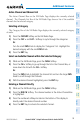
Selecting the XM Radio Page
1)
Turn the large FMS Knob to select the Auxiliary Page Group.
2)
Turn the small FMS Knob to select the displayed AUX - XM Information
Page.
3)
Press the RADIO Softkey to show the XM Radio Page where audio
entertainment is controlled.