
User Guide






GAME SETUP
Sid Meier’s Alpha Centauri allows a wide range of player customization
options both before and during play.
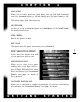
MAIN (STARTING) MENU
This is the first thing you see
upon starting Sid Meier’s
Alpha Centauri.
You can quit the game from
the Main menu with q. If
you’re not on the Main
menu, q takes you back to
your previous screen. On all
menu screens, q takes you
back one level.
START GAME
Starts a new game. This selection opens the Map Selection menu (see Map
Selection menu, facing page).
QUICK START
This option drops you directly into a new game configured exactly like the last
game you played (including faction choice). If you use Quick Start before play-
ing any other games, it drops you into a world of average size, with all defaults
on, playing the Gaian faction on the easiest difficulty level.
SCENARIO
Scenarios are specific challenges designed to test your playing skill to the max-
imum. The exceptions are the Tutorial Scenarios, specially designed to teach
new players the basics.
GETTING STARTED
CHAPTER 1
6