
User Guide




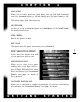


Tours. To get to the tours, start the game and select any options which look
interesting (you’ll find out exactly what they do a little later) or just hit
QUICK
START
. When the game loads for the first time, you will be automatically
walked through several tours that show you the fundamentals of the game.
To get back to the tours after the first game, L (left-click) on the
MENU tab
on the left side of the screen, then L on
HELP. The tours are at the bottom
of the Help menu.
Tutorial Scenarios. To access the tutorial scenarios, start the game and select
SCENARIO from the Main menu. When the Scenario menu appears, select
PLAY SCENARIO. Open the folder 1EXPLORE and select the “Explore.sc” file.
Upon successful completion of the “Explore” scenario, move on to the
2BUILD folder, and then to the 3CONQUER folder. When played in succes-
sion, these tutorials can help teach the Sid Meier’s Alpha Centauri basics in
a fun and intuitive way. To access a list of scenario objectives and how to
achieve them, L on the
MENU tab on the left side of the screen, then L on
the HQ menu, and select REVIEW SCENARIO OBJECTIVES.
Once you know the basics, this manual is provided to help you discover the many
subtleties and details of Sid Meier’s Alpha Centauri. We hope you’ll be return-
ing to these pages often while playing, to discover the exact purpose behind a
game option, or the meaning of a term. Who knows? Maybe after you’ve been
playing Sid Meier’s Alpha Centauri for awhile, you’ll come back and read this
book cover-to-cover, just to make sure you’re not missing anything.
In addition to this manual, you will find the following materials, also includ-
ed with your game, extremely useful:
• Install Guide. Installation, trouble shooting and customer support.
• Tech Tree Chart. The technologies that you discover as you progress, and
their interrelationships. This chart also contains information about the ter-
rain, vehicles, and world of Sid Meier’s Alpha Centauri.
GETTING STARTED
CHAPTER 1
4