TABLE OF Getting Started . . . . . . . . . . . . . . . . . . . . . . . . . . 1 Introduction. . . . . . . . . . . . . . . . . . . . . . . . . . . . . . 2 Using the Manual . . . . . . . . . . . . . . . . . . . . . . . . . 3 Installation . . . . . . . . . . . . . . . . . . . . . . . . . . . . . . . 5 Game Setup . . . . . . . . . . . . . . . . . . . . . . . . . . . . . . 6 Welcome to Alpha Centauri . . . . . . . . . . . . . . 15 Getting Started . . . . . . . . . . . . . . . . . . . . . . . . . . 16 The Turn.
CHAPTER 1 GETTING STARTED
C H A P T E R 1 GETTING STARTED INTRODUCTION Welcome to FIRAXIS Games’™ second offering, Sid Meier’s Alpha Centauri™. As with all games from FIRAXIS, fun and imagination rule, and we have tried to make a very complex topic accessible and interesting. It is an ambitious game, addressing some very fundamental issues facing mankind as we approach the new millennium.
C H A P T E R 1 be able to bring the travelers back? Once firmly established on a distant world, will we be able to cooperate with one another there long enough to establish a new society that can attain the same levels and quality of life that we have achieved here after almost 5000 years of civilization? But the deteriorating conditions on Earth leave us little choice. From the beginning, there are problems aboard the U.N. Starship Unity.
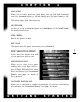
C H A P T E R 1 Tours. To get to the tours, start the game and select any options which look interesting (you’ll find out exactly what they do a little later) or just hit QUICK START. When the game loads for the first time, you will be automatically walked through several tours that show you the fundamentals of the game. To get back to the tours after the first game, L (left-click) on the MENU tab on the left side of the screen, then L on HELP. The tours are at the bottom of the Help menu.
C H A P T E R 1 This manual is divided into seven major sections: • Getting Started. Loading and customizing your game. • Welcome to Alpha Centauri. Movement, and the basic game interface. • Planet. The ecology of the new world, and terraforming. • Colonizing Planet. Building bases and expanding and defending your faction’s territory. • Controlling Society. The finer points of economics, diplomacy, research and Social Engineering. • Appendices, listed below.
C H A P T E R 1 GAME SETUP Sid Meier’s Alpha Centauri allows a wide range of player customization options both before and during play. MAIN (STARTING) MENU This is the first thing you see upon starting Sid Meier’s Alpha Centauri. 6 You can quit the game from the Main menu with q. If you’re not on the Main menu, q takes you back to your previous screen. On all menu screens, q takes you back one level. START GAME Starts a new game.
C H A P T E R 1 LOAD GAME Allows you to load a previously saved game. You can load both automatic saves (see Automatic Saves, p. 30) and named saves (see Save Game, p. 29). This option opens your Saves directory. MULTIPLAYER Use this to set up a multiplayer game. See Multiplayer, in the Install Guide, for detailed instructions. VIEW CREDITS Reveals the game’s creators. EXIT GAME This option quits the game and returns you to Windows®.
C H A P T E R 1 THE MAP OF PLANET This map is the “official” map of Planet. It’s always the same. HUGE MAP OF PLANET This is a large version of the map of Planet. LOAD MAP FILE This allows you to load a custom map that you’ve saved out as a map file. CUSTOMIZED PLANETS When you elect to play on a random or customized random map game, you’re given a series of choices that allow you to shape the environment of your new world.
C H A P T E R 1 SIZE There are five options: Tiny, Small, Standard, Large and Huge. The bigger the world, the longer you’ll probably play before encountering any of the other factions. From this screen, you can also load any custom map files you may have saved. The Load Map File option opens your map file directory. OCEAN COVERAGE Allows you to select how much of the world is under water. The three options are 30-50%, 50-70%, and 70-90%.
C H A P T E R 1 DIFFICULTY There are six levels of difficulty. The higher the difficulty, the smarter and more aggressive your opponents, and the tougher it is to establish and expand your faction. Difficulty levels, from easiest to hardest, are: Citizen (novice), Specialist, Talent, Librarian, Thinker, and Transcend (expert). GAME RULES These advanced gameplay options are described in detail under Game Rules, p. 197.
C H A P T E R 1 FACTIONS The human factions of Planet are not divided by race, language or place of ancestral origin. Instead, each faction is guided by the vision of its leader. These visions, in turn, give each faction a unique set of advantages and disadvantages. By comparing the strengths of your faction to the parameters of a customized planet, you can either give yourself an edge against the other factions, or set yourself a unique challenge to overcome.
C H A P T E R 1 abilities of their military units, and they resent police control in times of crisis. Because of negative environmental consequences, the Gaians can not make the “Free Market Economics” social choice (see Society Window, p. 136). HUMAN HIVE (LED BY CHAIRMAN SHENG-JI YANG) This faction is ruled under harsh collectivist/authoritarian principles. The good of the individual is totally subordinate to the state. They are isolationist, and militaristic.
C H A P T E R 1 SPARTAN FEDERATION (LED BY COLONEL CORAZON SANTIAGO) The Spartans are paramilitary survivalists. They believe in both a right and a duty to keep and bear arms. The Spartans start the game with the Doctrine: Mobility technology and a fast scout rover vehicle, and they do not have to pay extra to develop prototypes of new units.
CHAPTER 2 WELCOME TO ALPHA CENTAURI
C H A P T E R 2 WELCOME TO ALPHA CENTAURI Your new home in the Alpha Centauri system is officially called Chiron, but most of the new inhabitants refer to it as Planet. In cosmic terms, Earth and Planet are two worlds similar enough to be considered practically identical. But for human beings, the product of millions of years of earth-specific evolution, Planet is a strange, alien and frightening place.
C H A P T E R 2 run when you see mind worms (you can attack by attempting to move into their square). Ultimately, you’ll want to make contact with the units or bases of the other human factions. RESEARCHING TECHNOLOGY New technologies drive your survival and expansion on Planet, giving you access to new weapons, base facilities, and Secret Projects. As soon as your first base is established, your faction immediately begins scientific research.
C H A P T E R 2 You’ll also want to build some extra colony pods to establish new bases. When a pod is ready, send it out to an inviting green square at least three or four squares away from any other base (and on a river or a coast if possible). B builds a new base on that square. As your faction discovers new technology, you gain an ever wider variety of build options to choose from.
C H A P T E R 2 aggression. (Keep such defensive forces small—no more than two units per base in the years immediately after Planetfall. Otherwise they’ll become expensive to maintain, and rapidly become obsolete.) If you prefer the conqueror’s role, you can put your whole faction on a military footing, building multiple units per base for a massive invasion force.
C H A P T E R 2 GETTING AROUND The first things you have to learn, in order to establish your faction, are how to interpret the map and how to move around. The main map, which occupies the top two-thirds of the screen, is your playing surface. At Planetfall (when your faction first arrives on Planet, and when the game begins), the vast bulk of the map is either indistinct or totally black (depending on how you set the Unity Survey option; see Game Rules, p. 197).
C H A P T E R 2 MOUSE MOVEMENT If you’re sending a unit on a long journey, and you don’t want to hit an arrow key for every square of the distance, you can set a destination using the mouse: Just L (left-click) on the unit, drag to its destination, then release. The unit figures the most direct path to your destination, automatically routing around obstacles like small bodies of water and fungal areas. Waypoints.
C H A P T E R 2 FOG OF WAR On any given turn playing with the default game options, there are three types of terrain visible on the map. Black squares are squares you have not mapped yet. (If you have the Unity Survey option turned on, these are not black, but you won’t be able to see any details of the square’s terrain, other than whether it’s land or sea). Dim squares are those you have already mapped, but which are not currently observed by any of your sensors (either from units or bases).
C H A P T E R 2 COMMLINK Although it may take awhile to find them, eventually you’ll need to communicate with other faction leaders. The commlink system is your means of communication and your tool for trade and diplomacy. The Commlink button is located on the right edge of your screen.
C H A P T E R 2 WORLD VIEW The World View map is in the lower right corner of your screen. It displays the world as it is currently known to your faction. There are two options for viewing your World View map, selected via the buttons beneath the map: • World Map (default view). Displays the outline of the land areas and all known cities by the color of their faction. Double-L an area in the World Map to zoom to the Detail Map (see below). 24 • Detail Map.
C H A P T E R 2 STATUS VIEW This display comprises the three windows in the lower left corner of the screen. It displays all the essential information about both the active unit and the active square. The top left window displays information about the active unit or base, if any, including: • Picture (with status bar) 25 • Type • Stats (see Units, p. 64) • Morale Level (see Morale/Lifecycle, p.
C H A P T E R 2 • Terrain Type (see Resources, p. 36) • Any Enhancements (see Terraforming and Enhancements, p. 46) • Coordinates (see Mapping Planet, below) L on the window to show the number of resources produced by that square. The long window at the bottom of the screen displays a picture of each unit or base stacked in the current square. Place the cursor over an item to view its data. L on a picture to make a unit the active unit. L on a base to zoom to the Base Control Screen.
C H A P T E R 2 understand that the long stretches of rough land at the top and bottom of the screen represent the edge of Planet’s uninhabitable polar regions. MAP COORDINATES Map coordinates are numbered starting from (0, 0), with the vertical axis first. The vertical axis is numbered from the top of the map to the bottom, and the horizontal is numbered from left to right, starting at the point where the World View (see World View, p. 24) wraps.
C H A P T E R 2 MENUS Along the left side of your screen is a tab labeled MENU. L on the tab, and a list of nine sub-menus appears. 28 • Game (see Game Menu, next page) • HQ (see HQ Menu, p. 110) • Network (see Install Guide) • Map (see Map Menu, p. 32) • Action (see Action Menu, p. 92) • Terraform (see Terraform Menu, p. 46) • Scenario (see Scenario and Edit Map Menus, p. 206) • Edit Map (see Scenario and Edit Map Menus, p. 206) • Help (see Help Menu, p.
C H A P T E R 2 GAME MENU This menu controls the basic functions of the game. There are six preference options, plus a toggle for detailed and simple menu options. The six preference options are: • Simple\Detailed menu toggle • Preferences • Warning Preferences • Advanced Preferences • Automation Preferences • Audio/Visual Preferences • Map Display Preferences The various preference menus are discussed in detail in Appendix 3, beginning on p. 196.
C H A P T E R 2 RESIGN A more involved version of the Quit option, Resign totals up your score and shows a replay of the entire game (a graphical display of each faction’s advances and losses) before quitting. START NEW GAME Quits the current game and returns you to the Start Game menus. QUIT Simply closes the game and returns you to the Windows desktop. Progress is saved up through the end of the last complete turn.
C H A P T E R 2 HELP MENU This menu opens a comprehensive database of in-depth information about every aspect of the rules, mechanics and background of Sid Meier’s Alpha Centauri.
C H A P T E R 2 MAP MENU The Map menu allows you to control how the game displays the main map. Note that if you have the Simple menu option selected (see Game Menu, p. 29), you may not get all of these choices. Move Units (or View Map) V Toggles your main map between View Map Mode and Move Units mode. In Move Units mode you automatically are taken to your current active unit.
C H A P T E R 2 Toggle Flattened Terrain csX Toggles the map’s topographic perspective on or off, allowing you to see mountain and valley squares from either 2- or 3-D perspective. Toggle Map Grid cG Toggles the map grid (faint gray lines separating individual squares). Toggle Base Grid csG Toggles a red border that marks the “production radius” of bases in the game (see Working the Land, p. 60).
C H A P T E R 2 Erase Landmark csN Deletes the name of a previously named region. Place the cursor in any square within the named region and L this option. You are prompted to confirm your choice. Locate Base cB Presents you with a list of all your current bases. L on one to display its position on the World Map (see World View, p. 24). This list also contains several option buttons. • Sort: Name Sorts your bases alphabetically by name (this is the default).
CHAPTER 3 PLANET
C H A P T E R 3 PLANET Before you can turn your attention to the old terrestrial games of politics and warfare, you must first focus on the serious business of surviving and thriving on a strange world. Unlike the human factions, Planet cannot be conquered, dominated or negotiated with, but it can be worked with to ensure the survival and prosperity of your people. RESOURCES Resources are the essential elements which you extract from your surroundings to support and expand your faction.
C H A P T E R 3 There are three levels of rainfall on Planet—arid, moist and rainy. Rainy squares show as green on the map, and are usually the best places to establish new bases. Arid squares show up as brown, and moist squares combine green and brown. When scouting for new settlements, always remember, “Green is good.
C H A P T E R 3 ENERGY (ELEVATION) A solar collector must be built in a square to harvest its energy from elevation. Energy allows you to sustain your bases in working order. Even more importantly, though, it is the effective currency of the human factions of Planet. The energy you collect is allocated to three different areas: Economy, Labs and Psych. Energy allocated to Economy is used to maintain base facilities; any excess is placed in the energy reserve.
C H A P T E R 3 You can learn to exploit this pattern by raising and lowering terrain with your former units to create favorable rainfall conditions for yourself or unfavorable rainfall for an opponent (see Terraform Menu, p. 46). NATIVE LIFE Planet has been teeming with life since eons before the arrival of humanity. Individual specimens of Planet’s indigenous species seem simpler than analogous Earth life, but appearances can be deceiving.
C H A P T E R 3 Bases and enhancements cannot be built on xenofungus squares, but the resources of the fungus itself can be harvested. As your terraforming technology improves, you acquire the ability to clear, and even to cultivate xenofungus. Fungus can be planted to create defensive barriers, or simply for the resources it yields. FAUNA The dominant animal life of Planet is the mind worm, a horrid-looking little parasitic carnivore about 10 cm long.
C H A P T E R 3 TERRAIN The fantastic vistas of Planet offer more than alien beauty. Planet provides an endless variety of both gifts and pitfalls for the human settlers. RIVERS Since the dawn of human history, rivers have been the arteries of civilization. This remains true on Planet. If a river runs through a square, it delivers a +1 bonus to energy production. Rivers also tend to increase the moisture of the squares they run through or by.
C H A P T E R 3 UNITY PODS AND MONOLITHS Before the Unity was destroyed, it released the Colony Pods of the seven factions and scores of robotic “seed pods,” carrying vital supplies and technology for humanity’s conquest of the new world. Unfortunately, because of the chaos in the last hours of the Unity, these pods were scattered at random over Planet’s surface. Many of the Unity pods became infested with indigenous life-forms and opening them unleashes fungal blooms or mind worm boils.
C H A P T E R 3 FORESTS One of the fundamental advantages of formers is their ability to plant forests of terrestrial vegetation on the more inhospitable regions of Planet. Forests provide a small yield of nutrients and minerals, while doing no damage to the ecology of Planet (in fact, forest can actually offset ecological damage from enhanced squares). Over time, forest squares expand into adjacent undeveloped squares.
C H A P T E R 3 LANDMARKS Landmarks are giant natural wonders of Planet, the most important geophysical features of the world. You might encounter any of the following. Freshwater Sea. The richest aquatic region on Planet provides +1 nutrient per square. Garland Crater. Some thousands of years ago, a massive object crashed into Planet, leaving this vast crater. The rare and valuable remnants of the original object remain in the crater, giving the squares inside a +1 mineral bonus. Geothermal Shallows.
C H A P T E R 3 HOW TERRAIN AFFECTS MOVEMENT A unit’s current movement points are displayed in the status view. As the unit moves, this number decreases as movement points are used up. Certain terrain types impede normal movement (these penalties have no effect if moving across the square on a road or mag tube).
C H A P T E R 3 TERRAFORMING AND ENHANCEMENTS Terraforming literally means “to make earthlike.” It is the art of maximizing resource production in a given area, making that square more hospitable to human life. It involves building technological enhancements to the square or, in extreme cases, actually changing the terrain itself. Terraforming operations must be carried out by former units, which become available upon discovery of Centauri Ecology.
C H A P T E R 3 Building a farm requires Centauri Ecology. Building a kelp farm also requires Doctrine: Flexibility. CONSTRUCT SOIL ENRICHER F RATE 8 Enrichers may be built only on land squares containing farms. They increase the nutrient production of the farm by one. Requires Advanced Ecological Engineering.
C H A P T E R PLANT FOREST sF 3 RATE 4 A forest of terran trees provides a limited but steady supply of nutrients and minerals, regardless of the underlying terrain. Forests spread to adjacent undeveloped squares over time. Forest can not be planted in squares containing enhancements other than a road or mag tube. Tree Farm and Hybrid Forest facilities increase the resources available from forest squares inside the base’s production radius.
C H A P T E R 3 Requires Doctrine: Air Power. CONSTRUCT SENSOR ARRAYS O RATE 4 Sensor arrays allow you to see everything within a two-square radius (including units hiding in fungus). Additionally, a sensor array grants a defensive bonus to your units within its two-square radius. The ownership of a sensor array is determined by the borders of your faction. If your borders move, placing the array outside your boundaries, it may come under control of a new faction.
C H A P T E R CONSTRUCT THERMAL BOREHOLE sB 3 RATE 24 A thermal borehole is a shaft driven through the crust of Planet to tap directly into the geothermal energy and rare mineral resources of the inner core. A thermal borehole yields +6 minerals and +6 energy, regardless of terrain type. No other enhancements except roads and mag tubes may be built in the same square as a thermal borehole, and they can only be built on land. Requires Ecological Engineering.
C H A P T E R 3 TERRAFORM LEVEL s_ RATE 8 You can reduce the rockiness in a square by one level per use. FARM + SOLAR + ROAD csS This command tells the former to build these three enhancements in the square, in sequence, each at their normal rate. If used in a xenofungus square, this command also clears the fungus. If terrain or previous enhancements prevent the completion of all three commands, as many as possible are executed.
C H A P T E R AUTOMATIC SENSORS csO 3 RATE 4/SENSOR The former builds sensors at its own discretion. AUTOMATIC FUNGUS REMOVAL csF RATE 6/SQUARE The former selects squares from which to remove fungus. AUTOIMPROVE HOME BASE csA RATE VARIABLE The former automatically makes enhancements within the territory of the unit’s home base. If the former is away from its home base, this command starts it moving towards home.
C H A P T E R 3 Fixed Squares The production of the following squares is fixed, regardless of underlying terrain.
C H A P T E R 3 3 Harvesting a forest square (i.e., building any enhancement other than a road in that square) yields a one-time bonus of 5 minerals. Tree Farm and Hybrid Forest facilities each increase nutrient production in forest squares within that base’s production radius. 4 Your ability to extract resources from fungus improves as you acquire new technologies. See Fungus, p. 43. 5 Also raises the raininess by one increment in a two-square radius.
C H A P T E R 3 Ecological damage can be minimized (or even eliminated entirely) through Social Engineering (increase your Planet rating; see Social Factors, p. 141), base facilities (Centauri Preserve, Temple of Planet; see Facilities, p. 64) and Secret Projects (The Pholus Mutagen and others; see Secret Projects, p. 65). RANDOM NATURAL PHENOMENA Planet is a mysterious and complex system.
PLANET
CHAPTER 4 COLONIZING PLANET
C H A P T E R 4 COLONIZING PLANET Your faction begins as a few huddled refugees in a single, makeshift encampment. It’s up to you to see that it grows into a self-sufficient, globally dominant society. BASES Your fundamental goal on Planet is for your faction to survive and thrive. Your faction expands, in terms of size, power and influence, by building new bases. These bases are each independent, self-contained ‘cities’—the centers of your faction’s economic, military, technological and social progress.
C H A P T E R 4 Minerals represent all raw materials derived from Planet that are used for construction. They are used to build units (vehicles and equipment) and base facilities (special buildings). They are also used to maintain units (provide spare parts and so on) supported by the base. • Units are mobile, and may be used for defense, exploration and conquest. • Facilities increase the capabilities of the base that builds them. Certain oneof-a-kind facilities (see Secret Projects, p.
C H A P T E R 4 Control, p. 135), or diplomacy (see Diplomatic Contact, p. 127). There are two types of bases: those established on land and those established in the sea. • To build a land base, press B while a land colony pod is active. This establishes a new base on the square the pod currently occupies. Land bases cannot be established on rocky, fungus or monolith squares. • Sea colonies can only be established by sea colony pods on ocean squares without sea fungus.
C H A P T E R 4 The base’s production radius is defined by the area bordered by the red line it’s in (that square is automatically fully utilized, with no need of actually assigning anyone to work it). You can place your workers by hand (see Assigning Citizens to Work, p. 71), or the base governor assigns citizens as he sees fit (see Governor, p. 69). CITIZENS The human citizens of your bases represent a resource even more vital than energy, minerals or nutrients.
C H A P T E R 4 • Specialists do not work the outlying squares of the base to harness resources. Instead, they work inside the base, adding directly to the base’s Economy, Psych and Labs production (see Energy Allocation, p. 117). Until the base has sufficient population to work every single square in its production radius, you have to create specialists (they don’t “just happen”).
C H A P T E R 4 • Thinker. Thinkers have maximized the computational capacity of their brains and provide +1 Psych and +3 Labs per thinker. Thinkers require Mind/Machine Interface, and become obsolete with Secrets of Alpha Centauri, replaced by Transcendi. • Transcend. The penultimate stage of human mental evolution, transcendi provide +2 to Economy, +2 to Psych, and +4 to Labs. They require Secrets of Alpha Centauri and they never become obsolete.
C H A P T E R 4 When you reach this threshold, your advisors remind you if you are about to found a base that sends you over the limit; you can choose to continue or abort. If you go past this point, make sure your social and economic choices are arranged to support it. UNITS Units are mobile teams created for military, engineering, trade, exploration or diplomatic purposes. There are land, sea and air units, many with special abilities.
C H A P T E R 4 for example, eliminate Drone problems but reduce Labs production). Most facilities require an ongoing investment of energy credits to maintain, which is taken from energy allocated to Economy. A complete list of Facilities, including their benefits and costs, can be found in Appendix 2, p. 163. RELOCATE HEADQUARTERS This build order (see Build Orders, p. 67) causes a new headquarters to be constructed in this base. You can only have one headquarters for you entire faction.
C H A P T E R 4 STOCKPILE ENERGY If you don’t particularly need any new units or facilities from a base, but don’t want to let its production capacity go to waste (or if your faction is strapped for cash) you can order your base to Stockpile Energy. This causes the base to immediately sell off every excess mineral it produces in exchange for energy credits, which are then deposited in your energy reserves. BASE CONTROL SCREEN The Base Control Screen is one of the main nerve centers of your society.
C H A P T E R 4 • L on the ZOOM button when selecting a base from the Locate Base screen (accessed via the Map Menu, p. 32). A TOUR OF THE BASICS The Base Control Screen allows you to control your base to a minuscule level, but if left alone the base can do a pretty good job of running itself. Most of the time, you’ll be checking the Base Control Screen just to take a quick look at the current status of a base—what it’s building, how its citizens are doing, and so forth.
C H A P T E R 4 RESOURCE MFD The screen at the upper center of your Base Control Screen is a multifunction display (MFD): it can be set to display several different readouts, but the one we’re interested in at the moment is the Resource MFD. This is a map showing the territory controlled by the base and what resources each square is producing. (Squares outlined in white are under the control of a neighboring base.) NUTRIENT TANKS 68 This graph shows how your base is growing.
C H A P T E R 4 BASE CONTROL SCREEN — SECTION BY SECTION GOVERNOR If you’d rather not worry too much about the year-to-year operations of a particular base, you can put the Base Governor in charge, making it his responsibility to assign citizens to work and determine which squares to develop and what projects to undertake. If you don’t like a decision that is made, you can always overrule it. To activate the governor, L any of the five buttons at the top of the Base Control Screen.
C H A P T E R 4 MFD The MFD (multi-function display) is located in the upper center portion of your Base Control Screen. It normally appears as a map of territory inside your base’s production radius (this is the Resource Screen, below). The MFD has three functions. To switch between functions, L on one of the three buttons below the MFD.
C H A P T E R 4 ASSIGNING CITIZENS TO WORK Your Resource Screen is used to control your base’s resource production. If you L on any square currently under production, you reassign that square’s worker to become a Specialist (see Citizens, p. 61). That square is immediately taken out of production. If you L on any square not currently in production, the governor selects a Worker or Talent to begin working on that square. The governor selects a square to abandon in favor of the new square.
C H A P T E R 4 This graph contains up to five lines, each line cumulative with the ones above it. A line is only displayed if it’s actually applicable to the base at the moment. • Unmodified. Shows all citizens and their attitudes before other modifiers are taken into consideration. • Psych. Shows attitudes modified by your energy allocation to Psych (see Energy Allocation p. 117), if any, cumulative with the above. • Facilities.
C H A P T E R 4 ENERGY ALLOCATION READOUT This displays how energy collected at this base is allocated according to the priorities set in the Social Engineering Window (see Energy Allocation, p. 117). Social Engineering allocations Energy Allocation categories Bonus as a result of facilities\Secret Projects Basic Energy Allocation Category Totals • Economy. Energy allocated to Economy is used to maintain your base facilities; any surplus goes into your energy reserve. • Labs.
C H A P T E R 4 • Mission Year. The current year according to Earth’s Gregorian calendar. • Energy Reserves. This is your faction’s total energy reserves currently available for investment. • Ecological Damage. If this number is higher than 0, there is a chance each turn that one of the squares in the production radius of this base will experience ecological disaster (see Ecological Risks, p. 54).
C H A P T E R 4 Likewise, if your base is not bringing in enough nutrients to support itself, the projected decrease in the tanks is shown by bright squares outlined in red. When the tanks are completely emptied, the base loses one unit of population to starvation. The base continues to lose one citizen per turn thereafter, until it reaches a population that can be supported by current nutrient production. As your bases expand in size, the capacity of your nutrient tanks also expands.
C H A P T E R 4 RECYCLE WINDOW If you L on a facility in the Base Facilities Window, it brings up the Recycle Window. This allows you to demolish that facility and sell off the scrap for a few energy credits. When you call up the Recycle menu, you are given the options of: • canceling • consulting the Datalinks • scrapping the facility • scrapping all such facilities at all your bases GARRISON 76 This bar displays pictures of each unit currently inside the base.
C H A P T E R 4 among citizens. The number of units a base may support for free (if any) is determined by your support rating (see Social Factors, p. 141, and Home Base, Support and Pacifism, p. 89), while the number it can support before it starts to foment unrest is determined by your police rating (see Social Factors, p. 141). Units that require minerals to be expended each turn for their support appear with a mineral icon next to them.
C H A P T E R 4 CURRENT ORDERS The window to the left displays a picture of the unit or the facility currently under construction. The CHANGE button brings up the Production Readout (see Production Readout, below), from which you can select new orders. The HURRY button allows you to expend extra energy credits to complete a project more quickly.
C H A P T E R 4 There are a series of buttons along the bottom of the Production Readout. Some or all of the following buttons are available when you access the screen. • HELP. • WORKSHOP. • REPLACE. • INSERT. • DELETE. Deletes the selected project from the queue. • CANCEL. Closes the Production Readout with no changes. • OK. Opens the Datalinks. Opens the Design Workshop (see Designing Units, p. 81). Replaces the highlighted project in the queue with a project you select.
C H A P T E R 4 minerals transfer, with no loss. If you have invested 40 minerals, the first 10 transfer, as do half of the remaining 30: you transfer 25 (that is, 10 + 30/2) and you lose 15 (30/2). If the transfer more than pays for the designated purchase, up to 10 of the remaining minerals are held over for your next production, with no additional loss. Anything over 10 minerals is lost completely.
C H A P T E R 4 this turn, and the second number is the total movement available over two turns. A yellow or red split number indicates that this aircraft should be heading for a nearby base to avoid the risk of a crash. Choppers are air units, but they don’t run out of fuel. Instead, they need ongoing maintenance when in regular use. If a chopper does not end its turn in a base or airbase, it takes a small amount of damage. (Damage is repaired, over time, when the chopper is at a base or airbase.
C H A P T E R 4 PROTOTYPES Any time you order construction of a unit with untried components, that unit is a prototype. If you have already built a laser crawler and an impact rover, your first laser rover (which consists entirely of components found in the previous units) would not require a prototype. But if you discovered the missile launcher and decided to build a missile rover, the new missile launcher component would make your first missile rover a prototype.
C H A P T E R 4 CHASSIS The Chassis of the unit determines two vital characteristics: whether the unit is a land, sea or air unit; and its basic movement rate (see Movement, p. 90). A complete list of Chassis types and their associated values can be found in the Units Table, p. 175. WEAPON The unit’s weapon type determines its offensive firepower. A list of armaments and their associated values appears on the Armament Table, p. 177.
C H A P T E R 4 SPECIAL ABILITIES You can also endow your units with special abilities to fulfill specific tactical needs. Some are geared towards attack, some to defense, and some are more esoteric. If, for example, the Gaians are attacking your faction with an invasion force of mind worms, you might want to counter with a force of units equipped with the Hypnotic Trance special ability, which gives the units a +50% defensive bonus against psi attacks.
C H A P T E R 4 BUILDING UNITS Custom-designed units can be created in the Design Workshop, which can be accessed with U, or from the HQ menu or the Production Readout. You can get a head start in designing the type of unit you want by either selecting a specific unit to modify, or by using a vehicle preset. Specific unit designs are displayed in the long bar at the bottom of the screen.
C H A P T E R 4 • Naval. Combat ships. • Transport. Non-combat ships designed to carry goods or personnel. • Air Assault. Heavy bombers. • Air Defense. Fighters designed to intercept and engage other aircraft. • Chopper. Rotary-wing aircraft. • Missile. One-use air units—once they hit their target, they are destroyed. • Buster. Missile units capable of annihilating bases and the surrounding terrain. • Paradrop. Units capable of performing airdrops and orbital insertions (see Drop Pods, p. 91).
C H A P T E R • OBSOLETE. • UPGRADE. • CANCEL. • RETIRE. 4 The unit type is removed from your Production Readout. Upgrades all units of this type to a superior design, if one is available. Closes the Design Window with no changes. Disbands all units of this type, and removes the unit type from your Production Readout.
C H A P T E R Morale Native Lifecycle Very Green Hatchling Green Larval Mass Disciplined Pre-Boil Hardened Boil Veteran Mature Boil Commando Great Boil Elite Demon Boil 4 The importance of morale in combat cannot be overstated. Each level of morale gives a +12.5% bonus to the unit, in both offensive and defensive combat.
C H A P T E R 4 HOME BASE, SUPPORT AND PACIFISM The base that builds a unit is that unit’s home base. Units taken over by probe teams, or wild mind worms “tamed” by your faction, become the responsibility of the base geographically closest to the spot where the unit was acquired by your faction. A few units, such as those acquired far away from any base, do not require a home base at all.
C H A P T E R 4 MOVEMENT There’s more to getting your units where they need to go than just pushing them around the map. Moving a unit is an operation all to itself, and there are several essential principles you must keep in mind (plus a couple of exotic options that you can try). In the absence of external bonuses or penalties to movement (see How Terrain Affects Movement, p. 45), a unit can move a number of squares equal to its movement rating.
C H A P T E R 4 An advanced special ability—the Cloaking Device—makes a unit effectively invisible to the enemy, thereby allowing it to ignore zones of control. DROP PODS Drop Pods are a special ability component that allows units to make airdrops or orbital insertions. Discovery of Mind/Machine Interface allows construction of Drop Pods. Any unit with Drop Pods may make airdrops.
C H A P T E R 4 ACTION MENU The Action menu contains all the commands that you can give your units (except for Terraforming commands, which are found on the Terraform Menu, p. 46). Some of these options only appear if your unit is capable of performing that action at the moment (for example, a combat unit that is not in a base will not see the Obliterate Base option). CONSTRUCT BASE B This command can only be carried out by a colony pod.
C H A P T E R 4 you can select a square to drop to. See Drop Pods, p. 91, for a full explanation of air drops. PSI GATE sI Orders a unit to teleport from any base equipped with a Psi Gate facility to any other of your bases so equipped. When you use this command a window appears displaying all available destinations. Select the desired destination to complete the movement. CONVOY RESOURCES O Orders a supply unit to deliver resources.
C H A P T E R 4 EXPLORE AUTOMATICALLY / The unit, under its commander’s discretion, seeks out and explores uncharted terrain. PATROL P This orders a unit to patrol back and forth between its current location and a second square you select. Use this command, then L on the second square. DESIGNATE BOMBING RUN B This order designates an enemy base as a target for routine air attacks. The unit attacks the base you select, returns to the nearest friendly base, repairs its damage, then attacks again.
C H A P T E R 4 ASSEMBLE GROUP sJ Orders your units to converge on the square with the active unit. When you use the assemble group command, you see a window that allows you to customize your group, with options to: • Exclude units further than two squares away • Exclude units with hold and sentry orders • Exclude automated and patrol units • Exclude ground, sea, air, offensive combat, defensive combat, terraformer, or probe team units.
C H A P T E R 4 WAIT (MOVE LATER) W This unit is skipped for now, but is re-activated again before the end of the turn. UNLOAD TRANSPORT sU Each unit being carried by a transport activates in turn, and may be moved ashore. UPGRADE UNIT cU This command only works if the unit can be upgraded (see Upgrades, p. 82). At the command to upgrade the unit, you are told how much the upgrade costs, and given the option of canceling or continuing.
C H A P T E R 4 PLACE UNIT “ON ALERT” sL Orders a unit to hold in the current square until an enemy unit comes within its movement range, then attack automatically. Air interceptor units automatically attack air units, bomber units attack land and sea units, and naval units attack naval units and transports. Land units attack adjacent land units. HOLD 10 TURNS sH The unit holds its current position for 10 turns, then activates. HOLD THIS POSITION H The unit stays in its current position indefinitely.
C H A P T E R 4 the attacker or defender is destroyed (the exceptions are artillery, p. 100, and disengage, below). It is entirely possible for the winner of a battle to come out severely damaged. STACKED DEFENDERS If a unit attacks a square containing multiple defending units, the unit with the highest defense acts as the defender (unless you have designated another unit in the stack as the defender; see Action Menu, p. 92).
C H A P T E R 4 SPECIAL ABILITIES Many unit special abilities convey a bonus in combat (or inflict a penalty on the enemy). See the list in Appendix 2, p. 183. TERRAIN There are several occasions where terrain directly affects the odds in combat. • Artillery units (see Artillery Combat, next page) get a +25% bonus per level of altitude if they are at a higher altitude than their targets.
C H A P T E R 4 BUNKERS AND BASES Bunkers and bases offer a +25% defensive bonus to units within them. They also eliminate the effects of collateral damage. However, infantry gets a +25% bonus when attacking a base. SENSORS Units within 2 squares of a friendly Sensor Array (see Terraform Menu, p. 46) get a +25% defensive bonus. AIRDROPS AND ORBITAL INSERTIONS Drop units (see Drop Pods, p. 91) get a -50% penalty if they attack on the same turn in which they make the drop.
C H A P T E R 4 ARTILLERY DUELS An exception to this rule occurs when one artillery unit attacks another. In this case an artillery duel occurs, as each unit focuses its fire on the other. Artillery duels are to the death, just like most other combats, but they utilize attack strengths only. ARTILLERY COMBAT MODIFIERS • Artillery units get a +25% bonus for each level of altitude (see Energy (Elevation), p. 38) they are above the target. • Land-based artillery gets a +50% bonus when attacking naval units.
C H A P T E R 4 The Designate Bombing Run and On Alert commands (see Action Menu, p. 92) can also be used to automate air combat. AIR COMBAT MODIFIERS Air units receiving an artillery strike get a +100% bonus to defense strength. (An artillery unit must have the Air Superiority special ability to attack air units.) NAVAL COMBAT Sea units can attack normally against other sea units and sea bases. Attacks against bases and units on shore are handled as artillery strikes. (See Artillery Combat, p.
C H A P T E R 4 PSI COMBAT MODIFIERS • The attacking unit gets a 3-to-2 advantage in psi combat when the defending unit is a land unit. • Units may install the special abilities of Hypnotic Trance (discovered with Secrets of the Human Brain) and Empath Song (discovered with Centauri Empathy), which each provide +50% in psi combat. • A faction’s units gain a +10% psi attack bonus for each positive level of their Planet rating (see Social Factors, p. 141).
C H A P T E R 4 • A Command Center repairs land units in one turn • A Naval Yard repairs naval units in one turn • An Aerospace Complex repairs air units in one turn • A Biology Lab repairs native units in one turn Units repair at least 10% of their damage each turn, modified as follows: • +10% in friendly territory • +10% if air unit at airbase • +10% if land unit in bunker • +10% if in a base • x2 rate if a land unit is on board a Transport with a Repair Bay • +100% if the controlling faction owns the N
C H A P T E R 4 CONQUEST AND ANNIHILATION When all the combat units defending a base are destroyed (including naval units “in port” and air units “on the strip”) the base can be entered by an attacking unit, causing the base to pass into the control of the attacking faction. (If a wild native life unit is attacking an undefended base, the native life form devours one citizen from the base, then dissipates.) If the base population is reduced to zero in combat, the base ceases to exist.
C H A P T E R 4 ATROCITIES Atrocities are crimes against humanity. They always draw a radical response from the other faction leaders, ranging from trade sanctions to a war of extermination against your faction. But, if a majority of the Planetary Council votes to repeal the U.N. Charter (see Planetary Council, p. 132), then these actions no longer count as atrocities. Atrocities include: • Planet Buster. Any use of the base-destroying planet buster missile.
C H A P T E R 4 SPECIAL CASES ALIEN ARTIFACTS Alien artifacts have no defensive capability — except that they cannot be destroyed in combat. Instead, when an enemy unit attacks a square with an undefended alien artifact, or the artifact moves adjacent to an enemy, the artifact passes into the possession of the enemy faction. Likewise, when the last defender of a base falls, any alien artifacts within the base emerge and pass into the control of the attacking faction.
CHAPTER 5 CONTROLLING SOCIETY
C H A P T E R 5 CONTROLLING SOCIETY There’s far more to building a successful empire than building facilities and pushing units around. Sid Meier’s Alpha Centauri allows you to manipulate economic forces, diplomacy, espionage and political ideology to strengthen your faction’s hold on Planet. HQ MENU The options on the HQ menu are your primary tools for both long-range planning and information about your faction’s progress.
C H A P T E R 5 projects early in the process, and best not to switch at all, unless you must. If “Blind Research” has been selected, then no research is lost. DESIGN WORKSHOP U This option leads to the Design Workshop. It is fully described under Designing Units, p. 81. DATALINKS 1 Datalinks are the essential depository of information about Planet, the factions, technology, facilities and Secret Projects, and the fundamental concepts behind Sid Meier’s Alpha Centauri.
C H A P T E R 5 tion. L on the faction’s icon to switch to that faction’s report screen, or on the large colored icon to see your own. LABORATORIES STATUS 2 This screen displays a great deal of information about your current research project. At the top of the screen is the name of the technology being researched, the average time between projects in years, and the estimated time to complete the current project. Below that is the technology tree (see Technology, p.
C H A P T E R 5 entire faction, as well as loan payment income and a breakdown of all active loans (including loan payments suspended due to vendetta; see Diplomatic Contact, p. 127). The Bases window, in the lower left corner of the screen, displays gross income, expenses and net income (or deficit) for each base. L on a base to see its facilities, facilities maintenance and total energy.
C H A P T E R 5 L on Production to see each base’s current build orders, how many minerals have been accrued towards those orders, total mineral cost of those orders, and estimated number of turns until completion. For more on Build Orders, see p. 67. Citizens displays the population graph for each base, showing the function and attitude of each citizen. L on a worker to reassign as a specialist, and : on a specialist to reassign as a worker (see Citizens, p. 61).
C H A P T E R 5 SECRET PROJECT DATA 5 Displays all Secret Projects currently either completed or under construction, with their location and the controlling faction. Projects in progress are located above completed projects, showing every faction working on a given project at the moment. If the same faction is working on the same Secret Project at two or more bases, only the base which is furthest along towards completion is displayed. L on a base to see where it is located on the map (lower right).
C H A P T E R 5 ALPHA CENTAURI SCORE 8 Displays your current score. (See Scoring, p. 145.) COMMUNICATIONS AND PROTOCOL = Displays the Commlink menu (see Commlink, p. 23), which allows you to contact other factions. HALL OF FAME This is a list of the best scoring games, by faction. Corner Global Energy Market 116 This option only appears after you’ve discovered Sentient Econometrics. By selecting this option, you may try to control Planet by cornering the global energy market (See Winning the Game, p.
C H A P T E R 5 ENERGY ALLOCATION Total Economy Collected Each Turn Number of Turns between Research Breakthroughs “Lock” Icon Each of your bases requires a certain amount of energy to maintain. It is up to you, however, to decide how to best allocate your energy surplus. There are three priorities among which you must divide your energy resources: Labs, Psych and Economy. Adjusting Energy Allocation.
C H A P T E R 5 Making radical adjustments in your allocation levels creates inefficiency. This loss to inefficiency is displayed on the Social Engineering Screen (a high Efficiency rating — see Social Factors, p. 141 — can diminish such losses). In general, the greater the difference between your Labs and Economy settings, the more inefficiency occurs. INEFFICIENCY As your faction expands to new bases, the bureaucracy required to administer it grows more unwieldy.
C H A P T E R 5 TECHNOLOGY The success of your faction on Planet is judged, to a great extent, on your ability to acquire new technology. Scientific breakthroughs are a large part of technology advances, but they’re not the whole story. For example, any primitive tribesman of old Earth could hollow out a tree and make a canoe, but your faction can’t build sea-going units until it acquires Doctrine: Flexibility.
C H A P T E R 5 However, the list of available technologies at any given time is random, and does not necessarily include every technology for which you have completed the prerequisites. THE TECH TREE Technology advances are like building a house—you have to start at the bottom and work up. Technologies are not discovered in a vacuum; each new discovery depends on everything that’s gone before it.
C H A P T E R 5 • Discover. Theoretical breakthroughs in the realm of “pure science.” • Build. New technologies that enhance the infrastructure of your faction and its bases. • Conquer. Military advances. The levels simply record how far along the track a given technology lies. For example, Monopole Magnets, the discovery that makes the mag tube enhancement possible, is Build 6, expressed as B6.
C H A P T E R 5 Probe Teams. Probe teams can steal technology from other factions (see Probe Teams p. 133). “Secrets” Technologies. The three “secrets” technologies (Secrets of the Human Brain, Secrets of Alpha Centauri, Secrets of Creation) each provide an extra instant tech advance to the first faction to discover them. Secret Projects. The Universal Translator gives the faction that builds it two instant tech advances immediately after it’s built.
C H A P T E R 5 DIPLOMACY The least predictable part of your own faction’s survival on Planet is dealing with the other six factions. Each of the other faction leaders is a distinct personality, with his or her own goals, motivations and temperament. You have to know when to get tough and when to ease off, when giving a little yields long-term rewards and when it just makes you seem weak. FACTIONS Each faction behaves in a manner consistent with its individual nature.
C H A P T E R 5 BELIEVERS Faction Characteristics +25% Bonus when attacking enemies, from the strength of convictions. +1 Probe (devout believers difficult to brainwash) -2 Research (suspicious of secular science) -1 Planet (believe Planet is their promised land) Accumulates no research points until MY 2110. May not use Knowledge value in Social Engineering.
C H A P T E R 5 HIVE Faction Characteristics +1 Growth (rapid population growth) +1 Industry (brutal serfdom) -2 Economy (little political freedom) Underground bunkers (free Perimeter Defense at each base) May not use Democratic politics.
C H A P T E R 5 Faction Characteristics -1 Efficiency (U.N.-style bureaucracy) Extra talent for every four citizens (attracts intellectual elite) May exceed Hab Complex population requirements by 2. Receives double votes in elections for Planetary Governor and Supreme Leader. May not use Police State Politics.
C H A P T E R 5 UNIVERSITY Faction Characteristics +2 Research (brilliant research) -2 Probe (academic networks vulnerable to infiltration) Free network node at every base One bonus tech at beginning of game Extra drone for every four citizens (lack of ethics) May not use Fundamentalist Politics.
C H A P T E R 5 Sometimes communications are terse—a curt demand that a unit be removed from faction territory, or a to-the-point death threat—but many are quite involved conversations. At any point during communication you can consult the Datalinks for information about the faction, technology they may be requesting, or military units.
C H A P T E R 5 CALL OFF VENDETTA You request the other faction leader call off his or her vendetta against a third faction. REQUEST VOTE You request that the other faction leader support you in an upcoming council session. Often such support comes at a steep price. TERRITORY VIOLATION You demand that the other leader immediately remove all his or her units from your territory.
C H A P T E R 5 *This is a special case of Magnanimous, encountered when the faction is hopelessly overmatched. Mood is based on several factors, including how honest you’ve been with that faction in the past, whether you’ve ever committed an atrocity against the faction, and how powerful you are in relation to that faction—faction leaders get touchy and defensive when someone else is far stronger than they are.
C H A P T E R 5 Units from one faction may even visit the other’s bases for repairs and leave units in the same square. Income from commerce is increased. If one pact brother declares vendetta against a third faction, the pact partner is expected to do the same. COMMERCE If you have a treaty or pact with another faction, the two factions’ bases automatically conduct trade with one another. The amount of commerce income depends on your respective social choices and the size of the bases involved.
C H A P T E R 5 You can wreck your good name by breaking treaties and committing atrocities. If your integrity is towards the “treacherous” end of the scale, other factions are less likely to make deals with you, and more likely to break any treaties that do exist. PLANETARY COUNCIL The final tool of diplomacy on Planet is the Planetary Council. You can convene this body at any time, once you have the comm frequencies of all the factions.
C H A P T E R 5 • Salvage Unity Fusion Core. The rare elements from the Unity’s core provide 500 energy credits to each faction. • Global Trade Pact. Increases income from inter-faction commerce. • Launch Solar Shade. Causes temperatures to drop world wide, making sea levels go down. • Melt Polar Caps. Causes global warming, making sea levels go up. • Repeal UN Charter. All atrocity prohibitions are removed. • Reinstate UN Charter.
C H A P T E R 5 PROBE TEAM ACTIONS Probe Teams are covert ops agents. They infiltrate the bases and territory of other factions and conduct espionage and sabotage. Some Probe Team actions require an investment of energy. How much depends on the severity of the action and the enemy’s strength. Most major Probe Team actions are legitimate grounds for Vendetta and, in the event you are caught, may cause your reputation among the other factions to suffer (See Integrity, p. 131.
C H A P T E R 5 MIND CONTROL Mind control is an attempt to subvert a base or unit of a rival faction and bring it under your control. The attractive aspect to unit mind control is that it’s one of the few probe activities that don’t need to be carried out from inside an enemy base—your Probe Team can lurk in the wilderness or near your territorial borders and swoop down to grab any unit that gets too close. Only single units may be targeted by Probe Teams.
C H A P T E R 5 DEFENDING VS. PROBE TEAMS Other than physically hunting them down and destroying them, your best defense against enemy Probe Teams is to boost your Probe rating through Social Engineering (see Society Window, below). Investing energy towards Psych also tends to deter Probe activities (see Energy Allocation, p. 117). An excellent deterrent to enemy Probe Team activity is simply to station one of your own Probe Teams in strategically important bases.
C H A P T E R Green icons indicate aspects improved by a choice Red icons are aspects that worsen Political Choices Economic Choices Value Choices Society Types 5 How your society choices affect different aspects of your faction Society effects resulting from your faction characteristics Explanation of the effects of your society choices Energy Allocation categories (see below).
C H A P T E R 5 In the middle is a display showing your current energy reserves, the time between new technologies, and the upheaval cost, if any (see Upheaval Costs, below), to switch to the new choices you have tentatively selected. You can always hit start of the turn. RESET to restore your choices to the way they were at the Upheaval Costs. When you try to make a radical shift in political philosophy, there’s going to be some social upheaval.
C H A P T E R 5 ECONOMICS How your faction administers its resources. • Simple. The default. Simple economics describes the informal, ad hoc economy that develops in the early years after planetfall, before more organized economic systems can be put in place. No positives or negatives. • Free Market. Free market economics turns market forces loose in your society.
C H A P T E R 5 free exchange of information, which increases efficiency but also carries greater security risks. +2 Research, +1 Efficiency, -2 Probe • Wealth. Leaders seeking wealth concentrate on building economic and industrial infrastructure rapidly. They achieve rapid growth and development, with possible side effects being decadence and moral decay. +1 Economy, +1 Industry, -2 Morale FUTURE SOCIETY Powerful doctrines of social development arising from advanced theories of Social Engineering.
C H A P T E R 5 SOCIAL FACTORS Your faction possesses a numerical ranking (negative, positive or zero) in each of the following categories. Positive ratings represent assets of your society, negative ratings are liabilities. The specific results of each ranking in each factor are found in the table in Appendix 2: Social Factors, p. 158. Although they’re most directly determined by your social choices (see Society Window, p.
C H A P T E R 5 POLICE Determines the number of units that can act as police (see Drone Riots, p. 63) in your bases. Factions with a Police rating of ñ3 or less are considered Pacifist, and produce more drones when units are stationed outside the base (see Home Base, Support and Pacifism, p. 89). GROWTH Speeds or slows your population growth rate (see Nutrient Tanks, p. 68). PLANET Negative scores increase ecological damage.
C H A P T E R 5 RESIGNING You may retire as faction leader at any time by selecting “Resign” from the Game menu. This ends the game and computes your Sid Meier’s Alpha Centauri score. You must also resign if you reach the mandatory retirement year for your game or scenario. In standard games, the mandatory retirement year is M.Y. 2500 for Citizen, Specialist and Talent difficulty levels, and M.Y. 2400 for Librarian, Thinker and Transcend levels.
C H A P T E R 5 When a Supreme Leader is elected, a faction leader may choose to defy the will of the Council and refuse to submit. In this case, the Supreme Leader must, with the help of loyal factions, conquer all defiant factions to achieve a Conquest victory. Because of the military power usually required to secure election as Supreme Leader, defying the will of the Council is generally fairly suicidal.
C H A P T E R 5 SCORING Whether you resign or win outright, each game is given a numerical score. You can check your current score at any time with 8, or the Alpha Centauri Score option on the HQ Menu (see, p. 110). Your Alpha Centauri Score is computed as follows: • 1 point for each citizen of each base. • If you have won a Diplomatic or Economic victory, score 1 point for each citizen of a Pact Brother’s base. • 1/2 point for each citizen of any other faction’s base.
C H A P T E R 5 Players who Ascend to Transcendence are awarded 1600 points minus 2 for every game turn elapsed. If Cooperative Victory is enabled, all Pact Brothers and Sisters participate in the win, and points are split between all winning factions based on relative population. In any cooperative victory, the overall winner receives 1/2 the points of every allied faction’s population score.
APPENDIX 1 NOTES AND TIPS
A P P E N D I X 1 NOTES AND TIPS GENERAL TIPS • Pick your faction wisely. The bonuses and penalties intrinsic to each faction may seem minor, but they exert a constant influence on the faction’s development throughout the entire game. Therefore, you want to select a faction where the abilities are an asset to your personal style and long-term strategy, rather than a detriment. • Don’t be afraid to use the governors and automate units.
A P P E N D I X 1 • Don’t mess with your economy settings until drones actually start to become a problem in your bases (and even then, see if you can take care of the problem with social choices or simple facilities first). • A good basic strategy for building base facilities is simply to build the cheapest ones first.
A P P E N D I X 1 150 NOTES AND TIPS
APPENDIX 2 T A B L E S
152 T A B L E S 10 4 Doctrine: Air Power Centauri Ecology Airbase Sensor Array Ecological Engineering 12 6 5 Adv. Military Algorithms Bunker Plant Fungus (Sea Fungus) Ecological Engineering (Doctrine: Flexibility) Variable Monopole Magnets Mag Tube 6 Variable Centauri Ecology Road Remove Fungus (Sea Fungus)Centauri Ecology (Doctrine: Flexibility) 4 Centauri Ecology Forest Condenser M F F Keystroke N cF F O s.
Ecological Engineering Ecological Engineering Environmental Economics Environmental Economics Centauri Ecology Thermal Borehole Aquifer Terraform UP Terraform DOWN Terraform LEVEL T A B L E S Ocean Elevation Rocky Rolling Flat 1 0 2 Rainy (1) 1 Rockiness 0 Moist Nutrients Arid Raininess Underlying Terrain 0 1 1 0 Minerals RESOURCE PRODUCTION TABLES Ecological Engineering Echelon Mirror sB Q ] [ s- 24 18 12 12 8 0 1-4 (2) Energy sE 12 A P P E N D I X 2 153
154 2 Fungus (4) T A B L E S Mining Platform Road Mine -1 (7) +1 or 2 (8) +1 or 2 (10) +1 (9) +2 +1 (5) Condenser . Tidal Harness +1 Soil Enricher +1 (6) +2 Kelp Farm +1 0-2 6 2 0 2 Energy Echelon Mirror +1 Farm River Modifiers 6 0 0-2 Thermal Borehole 0-2 2 2 Monolith 1 Forest (3) Minerals 1 Nutrients Base 2 Note: bases get resource bonuses as well Underlying Terrain (The production of the following squares is fixed, regardless of underlying terrain.
+1 +2 Minerals Harvesting a forest square (i.e., building any enhancement other than a road in that square) yields a onetime bonus of 5 minerals. Tree Farm and Hybrid Forest facilities each increase nutrient production in forest squares within that base’s production radius. Your ability to extract resources from fungus improves as you acquire new technologies. See Fungus, p. XX. Also raises the raininess by one increment in a two-square radius.
156 3 movement points to enter (however, these squares can always be entered by any unit having at least one full movement point remaining). Trying to enter a land fungus square (successfully or not) always ends your unit’s movement, unless the unit is a mind worm boil, or your faction possesses the Xenoempathy Dome Secret Project. Sea fungus square Land fungus square 1/3 movement point. no movement point cost to follow a magtube. 1/3 movement point. Terrain has no effect on the movement of air units.
+50% defensive bonus. +50% defensive bonus, unless it is being attacked by a native life-form (either human-spawned or “wild”) in which case the unit gets no defensive bonus (see next entry). +50% combat bonus Any unit in xenofungus. Any native life-form in xenofungus. +25% attack bonus. Mobile units in smooth or rolling terrain. Any unit in rocky terrain. +25% attack bonus per level of altitude (see Artillery Combat, p. 100). Artillery. Xenofungus provides concealment (see Flora, p. 39).
-2 energy each base -1 energy each base -1 energy at HQ base Standard energy rates +1 energy each base +1 energy each square +1 energy each square; +1 commerce +1 energy/sq; +2 energy/base; +2 commerce +1 energy/sq; +4 energy/base; +3 commerce -3 -2 -1 0 1 2 3 4 5 ECONOMY SOCIAL FACTORS 4 3 2 1 0 -1 -2 -3 ECONOMIC PARALYSIS PARADIGM ECONOMY Exemplary efficiency Commendable efficiency Reasonable efficiency High inefficiency Gross inefficiency Appalling inefficiency Murdero
Support 1 unit free per base; no free minerals for new base. Support 1 unit free per base Support 2 units free per base Support 3 units free per base Support 4 units free per base Support 4 units OR up to base size for free -1 0 1 2 3 Each unit costs 1 to support; no free minerals for new base. -2 -3 -4 Each unit costs 2 to support; no free minerals for new base.
Extra drone if more than one military unit away from base Cannot use military units as police. No nerve stapling. One police unit allowed. No nerve stapling. Can use one military unit as police Can use up to 2 military units as police Can use up to 3 military units as police 3 units as police.
Increased ecological disruption; -1 fungus production Normal ecological tension Ecological safeguards; mind worm capture 25% Ecological harmony; mind worm capture 50% Ecological wisdom; mind worm capture 75% 0 1 2 3 Rampant ecological disruption; -2 fungus production -1 -2 -3 Wanton ecological disruption; -3 fungus production PLANET -25% cost of enemy probe team actions; enemy success rate increased Normal security measures +1 probe team morale; +50% cost of enemy probe team actions +2 probe t
Mineral costs increased by 20% Mineral costs increased by 10% Normal production rate Mineral costs decreased by 10% Mineral costs decreased by 20% Mineral costs decreased by 30% Mineral costs decreased by 40% Mineral costs decreased by 50% -1 0 1 2 3 4 5 Mineral costs increased by -2 -3 30% INDUSTRY Labs research speeded by 40% Labs research speeded by 50% 5 Labs research speeded by 30% Labs research speeded by 20% Labs research speeded by 10% Normal research rate Labs research slow
Maint 2 2 1 2 1 Var. 1 3 2 2 4 0 3 Cost 80 100 60 100 50 40 80 120 100 80 160 50 60 Facility Aerospace Complex Bioenhancement Center Biology Lab Centauri Preserve Children’s Creche Command Center Energy Bank Fusion Lab Genejack Factory Hab Complex Habitation Dome Headquarters Hologram Theatre FACILITIES +2 Morale: Air; Air Def +100% +2 Morale: ALL Research and Psi Ecology Bonus Growth/Effic/Morale +2 Morale:Land Economy Bonus; free with Quantum Mach.
1 0 0 4 0 0 2 2 5 80 120 120 120 50 80 100 100 200 Orbital Defense Pod Orbital Power Transmitter Paradise Garden Perimeter Defense Pressure Dome Psi Gate Punishment Sphere Quantum Converter 2 80 Naval Yard Network Node 6 320 Nanoreplicator 0 4 240 Nanohospital 120 4 240 Hybrid Forest Nessus Mining Station Maint Cost +1 Energy ALL BASES Missile Defense T A B L E S Quantum Machinery Adv.
1 0 0 2 3 3 60 120 0 120 200 120 Skunkworks Sky Hydroponics Lab Tachyon Field Temple of Planet Tree Farm Stockpile Energy 4 200 Robotic Assembly Plant 0 40 Recycling Tanks 3 1 40 Recreation Commons 120 4 240 Quantum Lab Research Hospital Maint Cost Facility Econ and Labs Bonus Fewer Drones; free with Sent. Econometrics Bonus Resources; free with Adv. Ecol. Engin.
A P P E N D I X 2 Aerospace Complex. Repairs damaged air units quickly. Air units built here receive two morale upgrades. Base must have an Aerospace complex before it can produce space-based facilities Bioenhancement Center. All military units built here receive two morale upgrades. Any alien life-forms you breed at this base gain a +1 lifecycle bonus. Biology Lab. +2 research per turn. Any alien life-forms you breed at this base gain a +1 lifecycle bonus. Centauri Preserve.
A P P E N D I X 2 Hybrid Forest. Increases nutrient and energy output of forest squares. Increases psych at base by 50% and energy reserves at base by 50%, and, combined with Tree Farm, eliminates the ecological damage caused by terraforming. Cumulative with Tree Farm. Nanohospital. Increases psych at base by 25% and research at base by 50% and reduces number of drones by one. Reduces population loss caused by genetic warfare and other disease outbreaks. Cumulative with Research Hospital. Nanoreplicator.
A P P E N D I X 2 Pressure Dome. Allows base to survive submersion. Also counts as Recycling Tanks for this base. Psi Gate. Units can teleport between bases containing Psi Gates. Punishment Sphere. Eliminates both drones and talents at this base, and decreases vulnerability to enemy mind control, but reduces labs output by 1/2. Quantum Converter. Increases minerals output at base by 50%. Cumulative with all other facilities of this type. Quantum Lab.
A P P E N D I X 2 Temple of Planet. Reduces effect of industry on Planet’s ecology. Any alien life-forms you breed at this base gain a +1 lifecycle bonus. Cumulative with Centauri Preserve. Tree Farm. Increases psych output at base by 50% and energy reserves at base by 50%. Increases nutrient output in forest squares. Halves the ecological damage caused by terraforming (farms, mines, roads, etc.).
Intellectual Integrity Matter Editation Biomachinery Doctrine: Loyalty Mind/Machine Interface The Will to Power Centauri Empathy Biogenetics Pre-Sentient Algorithms Advanced Spaceflight Bio-Engineering Doctrine: Initiative Industrial Base 500 500 200 400 400 200 200 300 400 300 300 200 Cloning Vats Command Nexus Cyborg Factory Dream Twister Empath Guild Human Genome Project Hunter-Seeker Algorithm Living Refinery Longevity Vaccine Maritime Control Center Merchant Exchange Matter Transmission 6
Effect Repair Units; Low Upgrade Costs +1 Lab Per Commerce/Net Node Psi Defense +50% Ecology Bonus; Lifecycle Bonus Any Tech Known To 3 Others New Bases Begin At Size 3 Maintenance Halved; Extra Police Quantum Converter Every Base Energy +100%/Orbital Cost Halved Labs +100% At This Base No More Drone Riots; +2 Probe Labs +100% At This Base Two Free Techs Network Nodes Help Drones Begins Ascent To Transcendence Terraform Rate +50% Fungus Movement Bonus Prerequisite Technology Industrial Nanorobotics Digital
A P P E N D I X 2 Ascent to Transcendence. Completes the Transcendence sequence and ends the Human Era. The Ascent cannot be started until the Voice of Planet is operational. Ascetic Virtues. Increases the population limit of your bases by two, and increases your society’s tolerance for use of police and military units (+1 Police). Bulk Matter Transmitter. +2 minerals at every base. Citizens’ Defense Force. Counts as a Perimeter Defense at every base. Clinical Immortality. One extra talent at every base.
A P P E N D I X 2 Maritime Control Center. Increases the movement rate of all naval units by two, and counts as a Naval Yard at every one of your bases. Merchant Exchange. +1 energy in every square at this base. Nano Factory. Units can be repaired quickly and completely even when not in base squares. The cost to upgrade units is reduced by 50%. Network Backbone.
A P P E N D I X 2 Telepathic Matrix. Drones never riot at your bases. All of your probe teams receive a +2 morale modifier. Theory of Everything. Research output doubled at this base. Universal Translator. Two free tech advances on completion. Any number of alien artifacts can be cashed at this base. Virtual World. In addition to their normal effect, Network Nodes count as Hologram Theatres at each of your bases: reduce number of drones by two and increase psych output of base by 50%. Voice of Planet.
Domain Land Land Land Sea Sea Air Air Air Air Speed/Cost 1 2 3 4 6 8 8 8 12 Names Infantry Speeder Hovertank Foil Cruiser Needlejet Chopper Gravship Missile Preq. Technology required. T A B L E S 1 0 1 2 Range None Doctrine: Mobility Nanominiaturization Doctrine: Flexibility Doctrine: Initiative Doctrine: Air Power Mind/Machine Interface Graviton Theory Orbital Spaceflight 1 1 2 4 1 1 1 0 Prerequisite Technology 1 Cargo Cargo.
Fixed-wing aircraft Rotary Graviton booster Assisted airflow 766 km\hr 523 km\hr 1021 km\hr 232.5 km\hr ‘Chopper Gravship Missile Airfoil 62 km\hr Foil Needlejet Aircushion 227 km\hr Hovertank Naval keel Wheeled 102km\hr Speeder 115 km\hr Manual/tracked 8km\hr Infantry Cruiser Modality Speed +25% when attacking in open +25% when attacking in open +25% when attacking a base Modifiers 15.5x.5x.5m 22x8x6m 15.5x6x4m 18.6x12.5x4.4m 200x50.
T A B L E S Energy Projectile Energy Missile Energy Projectile Energy Projectile 10 12 12 13 16 20 24 Special Fusion Laser Conventional Payload Tachyon Bolt Plasma Shard Quantum Laser Graviton Gun Singularity Laser Psi Attack Missile Projectile 8 Chaos Gun -1 Missile 6 Missile Launcher Planet Buster Energy Projectile 4 Particle Impactor 5 Projectile 2 Laser Gatling Laser Projectile Mode 1 Attack Rating/Cost Hand Weapons Weapon ARMAMENT Centauri Psi Orbital Spaceflight Con
2100 fps 2500 fps Var; max 4000 fps 3000 fps 9800 fps Mach 2.2 Ammo 7.62mm UN standard 10mm caseless Kinetic Energy 15 mm Mass-energy shell 9mm caseless Field Disruptor 2mm 3-stage particle-accelerated Mk. 12(t) “Sabre” missile Hand Weapons Particle Impactor Plasma Shard Chaos Gun Graviton Gun Missile Launcher Muzzle Vel. 178 Weapon PROJECTILE WEAPONS 6\min 2000\min 10\min 160\min 1100\min 120\min (max.) Rate of Fire 90 km 1.
680 nm 1 usec Active liquid coolant Crystal diffusion n.a. Molecular hydrogen Temporal field distortion Tachyon Bolt Quantum Laser T A B L E S Active kill radius: 2000 km Designation: Mk. 714 Plasma bomb Target acquistion: Charged particle Relative Planet Buster Explosive force: 296 gt TNT n.a. (approach inf.) Type: Compelled dissociative Target acquisition: Psi lock .001 nm n.a. .07 sec .14 sec .52 sec .
n.a.
Both Both 12 -1(1) Stasis Generator Psi Defense Thickness 250mm 520mm 520mm 2m n.a. 755mm Var. n.a. n.a. Density 2.3 kg\l 2.5 kg\l 2.5 kg\l n.a. n.a. 4kg\l -4 kg\l n.a. n.a.
30 3 Quantum Chamber 29,000 kw 63,000 kw 142,000 kw Var 32,700 kw 68,000 kw 148,000 kw >4 mill. kw Fission Plant Fusion Reactor Quantum Chamber Singularity Engine T A B L E S Var 97% 93% 89% Effic. n.a.
T A B L E S Clear fungus at double speed 1 Synthetic Fossil Fuels Fungicide Tanks Fungicidal +50% attack vs. Psi 2 Centauri Empathy Empath Song Empath Makes air drops 2 Mind/Machine Interface Drop Pods Drop Sees 2 spaces Adv. Military Algorithms 0 Deep Radar Operates underwater Nanometallurgy 1 Sub Deep Pressure Hull +50% vs. fast units Adv.
-7 1 1 -1 Artillery Heavy Trained Trance Heavy Artillery Heavy Transport High Morale Hypnotic Trance 1 1 1 1 0 1 X Police Secure Repair Slow Super Non-Lethal Methods Polymorphic Encryption Repair Bay Slow Unit Super Former Adv. Ecological Engineering na.a Nanometallurgy Pre-Sentient Algorithms Intellectual Integrity High Energy Chemistry Secrets of the Human Brain Intellectual Integrity n.a. Polymorphic Software Prereq.
Increases intrinsic defense to gene warfare Increases intrinsic defense to gene warfare DocFlex, OptComp Orbital, SupLube Chemist, Poly Gravity, DigSent None Super, Subat Gene, Neural None MindMac, Viral None MilAlg Space Subat AGrav Physic E=Mc2 BioEng Biogen BioMac Ecology Advanced Military Algorithms Advanced Spaceflight Advanced Subatomic Theory Applied Gravitonics Applied Physics Applied Relativity Bio-Engineering Biogenetics Biomachinery Centauri Ecology T A B L E S Increases nutrient pr
SingMec, AGrav PlaNets, Integ IndRob, MindMac Fossil, DocFlex Mobile DocFlex, IndAuto Mobile, Psych None Ecology, Gene ConSing Cyber DigSent DocAir DocFlex DocInit DocLoy Mobile EcoEng Controlled Singularity Cyberethics Digital Sentience Doctrine: Air Power Doctrine: Flexibility Doctrine: Initiative Doctrine: Loyalty Doctrine: Mobility Ecological Engineering EcoEng, CentEmp CentMed Centauri Meditation CentGen, EcoEng2 CentMed, Viral CentGen Centauri Genetics CentPsi Brain, Ecology CentEmp
Increases commerce income IndEcon, EcoEng Psych SentEco, WillPow Unified, IndRob EnvEcon EthCalc Eudaim Surface Environmental Economics Ethical Calculus Eudaimonia Frictionless Surfaces Increases commerce income Increases commerce income Biogen, EthCalc QuanMac, MindMac Indust, Physic BioMac, DocInit IndEcon, PlaNets None Indust NanoMin, IndAuto None EthCalc, DocLoy Gene Gravity Chemist HomoSup IndAuto Indust IndEcon IndRob InfNet Integ Gene Splicing Graviton Theory High Energy Chemistry Homo S
Brain, IndAuto Physic, InfNet Physic, Poly DocAir, Algor Fusion, Fossil E=Mc2, Alloys EnvEcon, Integ Chaos OptComp Orbital SupLube DocSec PlaEcon Nonlinear Mathematics Optical Computers Orbital Spaceflight Organic Superlubricant Photon/Wave Mechanics Planetary Economics Magnets, SupLube NanoMin Neural ProbMec, DocInit Metal Neural Grafting Nanominiaturization Nanometallurgy String, Alloys Magnets Monopole Magnets NanEdit, AlphCen Matter Matter Transmission DocAir, Neural HAL9000, Solids
Increases intrinsic defense to gene warfare; Allows gene warfare atrocity “Secrets”; first discoverer gains free tech; Reveals map; Increases energy production in fungus “Secrets”; first discoverer gains free tech “Secrets”; first discoverer gains free tech Improves Probe Team morale Surface, PlaEcon BioEng, MilAlg CentPsi, SentEco Unified, WillPow Psych, Biogen Space, DigSent Quantum Viral AlphCen Create Brain HAL9000 Quantum Power Secrets of Alpha Centauri Secrets of Creation Secrets of the Huma
Create, HAL9000 SingMec MatComp, Space OptComp, Indust Chaos, Cyber Chemist, Gene Eudaim, Matter HomoSup, CentPsi Create, TempMec Thresh, ConSing Magnets, E=Mc2 Solids Super String Fossil TempMec WillPow Thresh TranT Unified Super Tensile Solids Superconductor Superstring Theory Synthetic Fossil Fuels Temporal Mechanics The Will to Power Threshold of Transcendence Transcendent Thought Unified Field Theory Social Psych None Subat, IndAuto Alloys Silksteel Alloys Psych PlaEcon, DigSent Sen
Empath None None Doctor Drone Engineer Transcend Fusion Power Planetary Networks None None Mind/Machine Interface Secrets of Alpha Centauri None Engineer Librarian Talent Technician Thinker Transcend Worker Thinker Centauri Meditation Empath Transcend Made Obsolete By Prerequisite Technology Citizen CITIZENS Bonus to Labs 0 0 +2 +3 0 +3 +4 Bonus to Economy 0 +2 +3 0 +3 0 +2 +2 +1 0 0 0 +2 +2 Bonus to Psych A P P E N D I X T A B L E S 2 191
192 Effect New Governor Appointed Commerce Rates Doubled Global Cooling; Sea Levels Drop Global Cooling; Sea Levels Drop Commerce Rates Halved Atrocity Prohibitions Lifted +500 Energy Credits Every Faction Diplomatic Victory; Game Ends None Planetary Economics Advanced Spaceflight Advanced Spaceflight Adv. Ecological Engineering Global Warming; Sea Levels Rise Atrocity Prohibitions Return Prerequisite Technology Adv. Military Algorithms Planetary Economics Adv.
Free Facility Perimeter Defense Command Center Bioenhancement Center Naval Yard Quantum Converter Hologram Theatres Secret Project Citizen’s Defense Force Command Nexus Cyborg Factory Maritime Control Center Singularity Inductor Virtual World Successful completion of certain secret projects provide free facilities at every one of your bases.
A P P E N D I X 194 T A B L E S 2
APPENDIX 3 oPTION SCREENS
A P P E N D I X 3 APPENDIX 3. OPTION SCREENS RIGHT-CLICK (:) MENU : on a square offers a detailed menu of options. • Move Cursor to Here. Moves the cursor to the square on which you :. • Move Unit to Here. Moves the active unit to the square on which you :. • Center on Active Units. Centers the map on your active unit. Can be used if you’ve lost track of where the next unit to move is. • Activate Units Here. Activates the units on the square on which you :. • End the Turn.
A P P E N D I X 3 • Set to Conquer. (These four are options for the base governor. See Governor, p. XX.) If the active unit is in the square, the options include: • Action. Opens the Action Menu (see p. 46). If the active unit is a terraformer and is in the square, the actions include: • Terraform. Opens the Terraform Menu (see p. 46).
A P P E N D I X 3 • Blind Research: Cannot Set Precise Research Goals. You select broad categories for your researchers to concentrate their efforts, based on the priorities you set between Explore, Discover, Build and Conquer. • Intense Rivalry: Opponents More Aggressive. The other factions are much more willing to fight (and more likely to gang up on you). • No Unity Survey: World Map Not Visible. You know nothing of the world other than squares you have actually explored and their immediate vicinity.
A P P E N D I X 3 leave this option on, as your production readout has a finite number of slots for units, and these can fill up very rapidly with obsolete units. • Mouse at Edge Scrolls View. Moving your mouse to the edge of the screen (not the edge of the map) causes the map to scroll in that direction. • Autosave Each Turn. The game creates a new autosave file at the end of each turn. These files are kept in the AUTO subdirectory of your SAVES directory.
A P P E N D I X 3 • Stop for Items Built by Governors/Queues • Stop for Drone Riots • Stop for End of Drone Riots • Stop for Golden Age • Stop for End of Golden Age • Stop for Nutrient Low • Stop for Build Orders Out of Date • Stop for Population Limit Reached • Stop for Delay in Transcendence • Stop for Starvation • Stop for Mineral Shortages 200 • Stop for Energy Shortages • Stop for Random Events ADVANCED PREFERENCES • Radio Buttons Select with Single Click.
A P P E N D I X 3 • Move Units With Orders Quickly. Units carrying out preset movement orders are not animated when moving into each square on their route. They quickly “jump” from square to square. • Move All Units Quickly. Units are not shown moving between squares—they just appear in their next position. • Don’t Center On Units With Orders. The game does not recenter on units carrying out multi-turn orders. • Zoom-To-Base Doesn’t Recenter Map.
A P P E N D I X 3 • Automated Formers Can Remove Fungus. Formers on “Auto” (see Terraform Menu, p. 46) may remove fungus. • Automated Formers Can Build Sensors. Formers on “Auto” (see Terraform Menu, p. 46) may build sensors. • Cancel Movement Orders When Spot Units w/ Pact. Any movement orders are canceled when your unit sees a unit from a faction that is a pact brother. • Cancel Movement Orders When Spot Units w/ Treaty.
A P P E N D I X 3 • Voiceovers Stop When Popup Closed. Voiceovers fade out quickly when you exit the window announcing the project’s completion. • Secret Project Movies. Toggles the movies that play when Secret Projects are completed. • Interludes. Toggles the story interludes. • Map Animations. Toggles map animation. • Sliding Window. Sliding menu windows don’t slide, they just pop. • Sliding Scrollbars. Sliding scrollbars don’t slide, they just pop. • Whole Unit Blinks.
APPENDIX 4 ADVANCED CUSTOMIZATION
A P P E N D I X 4 ADVANCED CUSTOMIZATION Alpha Centauri includes a full range of editor functions that allow you to create your own maps or scenarios, alter the basic rules of the game, or just plain cheat yourself silly (in single-player games only, of course). The designers encourage players to become designers themselves, and see what new and unexpected challenges their imaginations can create.
A P P E N D I X 4 EDITING TEXT FILES Many basic rules of Alpha Centauri are set out in plain text files, which you can modify with any text editor. (These files also let you customize the messages and quotes in the game, to humorous or dramatic effect.) You can, for example, eliminate the extra cost for prototypes (or hike it to 200%), or add an attack bonus for non-artillery units attacking the enemy from a higher elevation, or completely re-arrange the starting abilities of a faction.
A P P E N D I X 4 • Total meltdown. If you mess around with these files severely enough, the possibility exists that you might break the whole system—computers are surprising that way. So once again, if you start playing around with rules files, it’s AT YOUR OWN RISK. FIRAXIS Games and Electronic Arts™ will not be held responsible. Note. You can create custom text files for use with custom scenarios.
APPENDIX 5 A NEW SUN
A P P E N D I X 5 A NEW SUN As the nearest stellar neighbor of the Sol system, there is a great deal more data that can be collected about Alpha Centauri than can be amassed about more remote stars. So far everything we know about Alpha Centauri suggests that an earthlike world, capable of (at least potentially) supporting human life, is entirely possible — and perhaps likely.
A P P E N D I X 5 Brief Mythological Sidetrip. Other lands also have myths of half-horse, halfhuman creatures and races, but Centaurs are best known for their role in Greek mythology. They have the body and legs of a horse, with the torso, arms and head of a human. In some myths they are lustful and aggressive; in other tales they are wise and reserved. BRIGHT STARS It’s obvious to anyone who sees it that Alpha Centauri is bright, but how bright is it? About 130 B.C.
A P P E N D I X 5 The motion that Halley discovered is called proper motion, because it is motion of the star itself, rather than movement of the Earth. Halley couldn’t see Alpha Centauri, but other astronomers soon discovered that it, too, has proper motion. In fact, its motion is greater than that of any other bright star.
A P P E N D I X 5 The second clue is that the more quickly they revolve around each other, the closer they are likely to be to each other. (Mercury, very close to the Sun, revolves around the Sun in 88 days — Earth days, that is. Jupiter takes almost 12 Earth years for the same revolution.) Alpha Centauri A and B have one of the widest apparent separations and one of the quickest revolutions (80 years) of all binary stars. The evidence mounted that Alpha Centauri is very close to us.
A P P E N D I X 5 LUMINOSITY Once we determine the actual distance of a star, several other bits of data fall into place. We can determine how bright the star actually is — its absolute magnitude — by comparing its apparent magnitude from Earth and its distance. It turns out that neither Alpha Centauri A nor Alpha Centauri B is among the stars with the greatest absolute magnitude; their apparent brightness relies a great deal on how close they are to us.
A P P E N D I X 5 As you can see, the Sun and Alpha Centauri A are very similar to each other. They are both G2 stars, which means that Alpha Centauri A has the same yellow color as the Sun. Alpha Centauri A is larger and brighter, but not by a great deal. Anyone, or anything, comfortable with the Sun would probably be comfortable with Alpha Centauri A. Alpha Centauri B is smaller and dimmer than the Sun. It is orange, rather than yellow.
A P P E N D I X 5 Saturn, Uranus or Neptune. In fact, once beyond the radius of Mars, the only stable orbits are those that circle both stars. Even if neither star would perturb each other’s habitable planets, they would still be clearly visible. From a planet circling Alpha Centauri A, Alpha Centauri B would be a tiny, dazzlingly-bright yellow-orange light in the sky. It will be a tiny dot, but not quite a point, and it would be far brighter than any full moon — easily bright enough to read by.
A P P E N D I X 5 Planet’s days are only about 18 hours, so sleep cycles must be correspondingly reduced. Its years are slightly longer than Earth’s years., but not enough to make a noticeable difference. The greater difference is Planet’s lack of seasons. With only a slight axial tilt, any seasonal differences are minimal. Neither of Planet’s moons exert as much tidal pull as Earth’s moon, but when they combine, tides will run slightly higher than on Earth.
A P P E N D I X 5 Atmosphere Planetary constants Earth Total pressure (Pa) 101,325 176,020 1.74 Nitrogen (Pa) 79,125 160,000 2.02 Oxygen (Pa) 21,228 15,000 0.71 Argon (Pa) 942 1000 1.06 P/E Ratio 30 20 0.67 Nitrogen 78.09% 90.90% 1.16 Oxygen 20.95% 8.52% 0.41 Argon 0.93% 0.57% 0.61 Carbon dioxide 0.03% 0.01% 0.4 Surface density (kg/m3) 1.22 2.06 1.68 “Flammability” (mmol K/J) 7.17 2.87 0.40 Carbon dioxide (Pa) 218 Planet (Chiron) Effective temp.
A P P E N D I X 5 METEOROLOGY AND CLIMATOLOGY Planet’s larger size and gravity result in a significantly higher sea level pressure than Earth’s: 1.74 atmospheres (that is, 74% greater air pressure at sea level than on Earth). This brings the partial pressure of Oxygen (15k Pascals) up to acceptable levels, but the high overall pressure combined with such a large quantity of Nitrogen produces deadly Nitrogen narcosis in unprotected humans.
A P P E N D I X 5 OCEANOGRAPHY At over 20% higher insolation than Earth, Planet has very small polar ice caps. The effect of this on the oceanic circulation is profound. Instead of cold oxygen-rich polar water sinking at the poles and being carried in a current along the ocean floor to the equator (as on Earth today), the circulation is driven in reverse, with warm saline oxygen-poor water sinking at the equator and flowing to the poles. As a result, the bottom waters have little oxygen.
A P P E N D I X 5 The prevalence of anoxic (oxygen-free) environments rich in organic material, combined with the presence everywhere on Planet of nitrated compounds, has led to an astonishing variety of underground organisms which live in the absence of oxygen (though they can use oxygen if it is present) and “breathe” nitrate. This ecosystem apparently has symbiotic relations with the plants and with Planet’s animal life.
A P P E N D I X 5 NATIVE LIFE XENOFUNGUS Xenofungus is a hard, crimson mass of tubular shoots ranging in size from about a foot across to microscopic. It grows in huge, heaped tangles capable of covering thousands of square kilometers of land, with a depth ranging anywhere from 2 to over 25 meters.
A P P E N D I X 5 may be a resonance created from the same “psychoactive” field that the mind worms employ. Some (particularly among the Gaian faction, which believes implicitly in the “Song of Planet” and has accorded it a mystical significance) claim the song is ethereally beautiful. Others have alleged that prolonged exposure can drive the human brain to distraction, or even madness. MIND WORMS The dominant land species on Chiron is the mind worm.
A P P E N D I X 5 other enhancements. Victims are paralyzed with terror, and then experience an unimaginably excruciating death as the worms burrow into the brain to implant their ravenous larvae. Only the most disciplined security squads can overcome their fear long enough to trigger the flame guns that can keep the worms at bay. There is one advantage to destroying a mind worm boil (other than the increased feeling of security). When mind worms combine into boils, their metabolisms change.
A P P E N D I X 5 the human brain. A second, more exotic explanation has also been posited, that the worms manipulate electromagnetic radiation to attack. The third theory is that the mind worms are able to manipulate a totally new form of energy — a purely psychoactive waveform capable of interfacing with, and distorting the thoughts of, all self-aware creatures.
A P P E N D I X 5 MOONS Planet has two moons, Nessus and Pholus, also named after Centaurs. The tidal effects of these two moons were briefly discussed earlier. Here are a few more specifics: Earth’s MoonNessusN/M Ratio Pholus P/M Ratio 7.35 x 10226.50 x 1021 0.09 Mass (kg) 1740 Radius (km) Dist. from planet (km) Surface area (km2) 0.46 350 0.20 3.84 x 1052.00 x 105 0.52 1.00 x 10⁵ 0.26 3.80 x 1078.04 x 106 0.21 1.54 x 10⁶ 0.04 Mean gravity (m/s2) Density (kg/m3) 226 800 5.20 x 10²⁰ 0.01 1.
A P P E N D I X Eurytion EarthE/Earth RatioMercuryE/Merc Ratio 5.16 x 10235.98 x 1024 0.09 Mass (kg) Equat. radius (km) 2820 5 6380 3.23 x 10²³ 1.60 0.44 2439 1.16 7.06 x 10101.50 x 1011 0.47 5.79 x 10¹⁰ 1.22 9.98 x 1075.10 x 108 0.20 2 Standard gravity (m/s ) 4.33 9.81 0.44 7.47 x 10⁷ 1.34 Dist. from star (km) Surface area (km2) Escape velocity (m/s) Density (kg/m3) 3.63 1.19 4940 11,200 0.44 4300 1.15 5503 5519 1.00 5420 1.02 0.62 0.27 2.31 0.
A P P E N D I X 5 dated aspects of Asimov’s book are well addressed at this site. It contains plenty of current statistics and other data, covering much more than just Alpha Centauri (a good place to start might be their search engine, at www.nasa.gov/search/). It also includes an “Ask the Astronomer” question-and-answer forum, plus an archive of previous answers, that can fill you in on just about anything you want to know astronomical (at image.gsfc.nasa.gov/poetry/astro/qanda.html).
A P P E N D I X 5 ANVIL OF STARS Greg Bear What if the universe is filled with alien races sometimes even more sinister and diabolical than humanity at its worst? To what depths of deception and atrocity will a species descend in order to secure its survival? SLANT Greg Bear A near future earth where information technology has continued to make quantum advances. I find suspension of disbelief very easy with Greg Bear, because his worlds are coherent and his characters’ motives are so plausible.
A P P E N D I X JOURNEY TO CENTAURI 5 (EXCERPT) The following is an excerpt from the web-based episodic story, Journey to Centauri, that appeared on the Alpha Centauri website beginning June 1, 1998, written by Michael Ely. Visit the Alpha Centauri website at www.alphacentauri.com to find out more about humanity’s journey to the New World. “Captain.” Shapes. Shadows, hovering over him. A sense of threat, darkness eclipsing his vision, and the distant sound of warning klaxons.
A P P E N D I X 5 He waited, helpless, while the ship hurled on and the warning klaxons sounded their three beat sequence. After interminable moments he heard a click and a hiss, and then a storm exploded beneath him. Transmission Received, U.N.S. Unity Central Processor. Impact Detected. Fusion drive shut down. Severe Damage Hydroponics Mods 2, 3; cryobay 7. Triggering automatic wakeup of core staff per coded instructions.
A P P E N D I X 5 ness of her long hair. Pria. She looked so peaceful, so far away … he still remembered her gentleness, and their last strong kiss before the cryotechs closed the cell, locking her away from him. His practiced eyes scanned the small console above her cell. Everything appeared normal; she had survived. His eyes flickered once across the manual release key, and then he saw the red warning lights flashing at the far end of the cryobay. The ship … he had almost forgotten the danger.
A P P E N D I X 5 v v v The lid to his cryocell hissed open, and Sheng-ji Yang emerged into darkness and immediate danger. From the shadows surrounding his cell peered the narrow deadly eyes of shredder pistols, their barrels leveled directly at him. Sheng-ji stood calmly, using his hand against the cryocell to steady himself as waves of post-sleep nausea washed over him. No weakness … his eyes flickered in the darkness, marking the position of every enemy.
A P P E N D I X 5 Suddenly the shadow exploded into motion, and a black serpent crossed the distance to Yang in a heartbeat. Yang felt red hot wires of pain lace his neck, and he fell to his knees, cursing the post-sleep weakness that dulled his reflexes. Psych-whip, a part of him thought calmly. They have been in the armory. And then he smiled as the pain intensified … he welcomed it, opened himself to it, letting it dance on his nerves and dissolve into his spine. Pain, awaken me ….
A P P E N D I X 5 could feel the confusion in the room as shadows lurched forward, orders issued in hisses. No shouts and no further fire … near perfect silence, he thought. Amazing discipline, as if …. No matter. He had moments, and moments were all he needed. Crouched in the darkness he punched the release code into his lockbox. He flexed his hands, deadly weapons in their own right, serpents awaiting their venom. The box would not open. It remained inert, a block of dead cold metal in his hands.
A P P E N D I X 5 DESIGNER’S NOTES Although this is our second product as a company, Alpha Centauri has been around, in some form or another, right from the humble beginnings of FIRAXIS Games. Its story has in many ways paralleled the story of our company — FIRAXIS and Alpha Centauri grew together, both changing and evolving over two and a half years.
A P P E N D I X 5 you like real time games at all and haven’t tried it yet you owe it to yourself to go and find a copy — Sid considers it one of the two best games he’s ever designed, and the rest of us are inclined to agree. But we were also convinced that in spite of the industry’s headlong rush to get on the real time bandwagon, a strong market still existed for turn-based strategy games. Gamers wanted a new, sweeping epic of a turn-based game, and they wanted us to design it.
A P P E N D I X 5 ine the future for themselves — to create their own future utopias and try them out against other competing visions. Thence also came the idea of “factions,” rival groups to challenge players with opposing and contrasting ideologies. Thrown into this mix are the uniquely science fiction elements of exploring and terraforming an alien world. Since we were trying to create a plausible future history, trans-lightspeed galactic travel seemed a bit unrealistic.
A P P E N D I X 5 made the acquaintance of Derek “Del” Cotter, a British fan who proved so helpful in setting us straight on astronomy, biology and interstellar travel that we sent him a contract and hired him to do some research. Del provided the technical design for our starship, the U.N.S. Unity; designed planets and solar system consistent with current knowledge of the Alpha Centauri system; figured out Planet’s vital statistics; and fleshed out our biosphere.
A P P E N D I X 5 been intended mainly for advanced players) as a useful learning tool for beginners. Later, Lindsay arranged to fly out EA’s marketing team for several days of hands-on play, in a devious, underhanded and ultimately completely successful ploy to hook them on the game and remake them as Alpha Centauri evangelists.
A P P E N D I X 5 Mike Bazzell, in addition to doing pretty much all of our prototype art and having by far the scariest office at FIRAXIS, built all of those cool vehicles and vehicle parts. Imagine being told you have to design a laser cannon that looks just as cool on a hovertank as on a needlejet or a cruiser, or carried around by some infantry guys. And everything has to fit together interchangeably.
A P P E N D I X 5 Much still remained to be polished. Art Director Michael Haire designed the faction icons and created individual icons for each of our many technologies, facilities and secret projects. Michael also did many of our scoring screens, as well as prototyping much of our interface. Greg Foertsch created our “monument” reward screen, and did much of our situational payoff art.
A P P E N D I X 5 Two and a half years is a long time to work on a project, and many changes have taken place in that time. Amanda Rusko-Berger, Coulby Riehl and Caleb Reynolds were all born during the project. Susan Brookins, who kept us fed and paid and made sure the Gatorade man filled up our machine every week, is now Susan Meier (yes, that Meier). The FIRAXIS staff has grown to a whopping 17, and we’ve got a pretty good view now from the top floor of the Executive Plaza building in Hunt Valley.
A P P E N D I X 5 current technology, and even a trip to Alpha Centauri is easier than you probably think. Consider Planet’s final imperative at the Ascent to Transcendence: bright children of the stars. We can probably eventually do even that if we put our minds to It — what a thought! The stars are waiting for us; we have only to decide that it’s worth the effort to go there. Look at the stars on a cold, clear, winter night and think about that.
CREDITS/KEY COMMANDS
CREDITS Created By . . . . . . . . . . . . . . . . . . .Brian Reynolds With . . . . . . . . . . . . . .Sid Meier, Timothy Train, . . . . . . . . . . . . . . .Douglas Kaufman, Bing Gordon And . . . . . . . . . . . . . .Members of FIRAXIS Games “The Dancing Baby” is used with the permission of Kinetix, a division of Autodesk, inc. Executive Producer . . . . . . . . . . . .Jeffery L. Briggs With Special Thanks To Jill, Ro and Caleb Reynolds Producer . . . . . . . . . . . . . . . . . . . . .
BETA TESTERS Marty Bishop, Michael Buccheri, Ted Dennison, Chris Fitzgerald, Neil Fradkin, Andrew Goldstein, Ronald Gretz, Dick Knisely, Greg Lary, Martin Leuschen, Jen MacLean, Jean McGuire, Biju Mathai, Sam May, Laralyn McWilliams, Vernon Michael, Mark Norton, George Politis, Alan Precourt, Marc Reissig, Don Rinker, Jennifer Schlickbernd, Dan Speicher, William Stapel, Thomas Stobie, Jeff Vitous, Rita Waller ADDITIONAL CREDITS Documentation Written by . . .Incan Monkey God . . . . . . . . . . . . . . . .
MAP COMMANDS Move units/View map . . . . . . . . . . . . . .V Full zoom in . . . . . . . . . . . . . . . . .cZ Zoom in . . . . . . . . . . . . . . . . . . . . . . . .Z Full zoom out . . . . . . . . . . . . . . . .cX Zoom out . . . . . . . . . . . . . . . . . . . . . .X Toggle flattened terrain . . . . . .csX Standard zoom in . . . . . . . . . . . . .sZ Toggle map & Grid . . . . . . . . . . . . .cG Standard zoom out . . . . . . . . . . . .sX Toggle base grid . . . . . . . . . . .
MAP COMMANDS contd. Show autoforward routes . . . . .csB Erase Landmark . . . . . . . . . . . .csN Show patrol orders . . . . . . . . . . . . .sP Locate Base... . . . . . . . . . . . . . . . . .cB Terrain Survey . . . . . . . . . . . . . . . . . . .T Previous Cursor Position . . . . . . . . . .b Hide/Show Names & Production . . .cN Next Cursor Position . . . . . . . . .sb Name Landmark . . . . . . . . . . . . . .sN Center screen . . . . . . . . . . . . . . . . . . . .
GAME COMMANDS Switch To Detailed Menus . . .- Map Display Preferences... . .cM Switch To Simple Menus . . . .- Save Game... . . . . . . . . . . .cS Preferences... . . . . . . . . . . .cP Load Game... . . . . . . . . . . .cL Warning Preferences... . . . . .cW Resign . . . . . . . . . . . . . . .sQ Advanced Preferences... . . . .cO Start New Game . . . . .csQ Automation Preferences... . .cA Quit . . . . . . . . . . . . . . . . .cQ Audio/Visual Preferences... . .c1 Speed Up Game during AI turn . .