
Operator's Manual





2. OPERATIONAL OVERVIEW
2-14
2.1.12 How to enter alphanumeric data
On some screens it is necessary to enter alphanumeric data. The data can be input
three ways: keyboard of the Control Unit, software keyboard or trackball.
Alphanumeric data entry from the keyboard of the Control Unit
1. Click the input box.
2. Press appropriate keys and press the ENTER key.
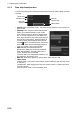
Alphanumeric data entry from the software keyboard
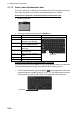
A software keyboard is also available for entry of alphanumeric data. Do as follows to
use the software keyboard. Display the keyboard before opening menus.
1. On the InstantAccess bar, press the [DISP], [ ] and [ON] buttons to show the
software keyboard. The [BS], [Enter], [], [],[ ], [] and [Spacebar] on the key-
board function the same as those keys on the keyboard of the Control Unit.
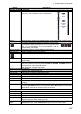
Key Function Keyboard
TAB Move the selection cursor.
CAPS LOCK Switch between upper case
and lower case alphabet.
SHIFT Turn caps lock on and off
with the CAPS LOCK key.
BS Erase the character left of
the cursor.
ENTER Terminate keyboard input;
insert line feed.
, ,, Move cursor in direction of
arrow.
Spacebar Insert a space
CTRL No use.
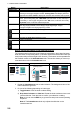
Cursor
Input box example
Space bar
Space bar