
Operator's Manual


19. RECORDING, PLAYBACK FUNCTIONS
19-5
19.2 Details Log
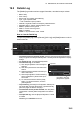
The [Details] log contains various voyage information, recorded once per minute.
How to view the Details log
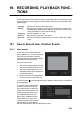
To open the [Details] log, lick the [Record], [NAV Log] and [Detail] buttons on the In-
stantAccess bar.
• Date of entry
• Time of entry
• Source: No. of unit which generated log
• Type: Type of position data
• Auto: Automatic input of position
• Latitude, Longitude: Position as output by selected sensor
• Align/NM, Align/°T: Range, bearing offset, if used
• SOG/kn: Speed over the ground
• COG/°T: Course over the ground
• HDG/°T: Heading
• CORR/°T: Gyro correction value, if used.
• To show the logs of a specific period, enter the period to show with [Period Cov-
ered (UTC)] then click the [Set Period] button. Use the [Clear Period] button to display
all logs.
• To refresh the log, click the [Refresh] button.
• To search the log, do as follows:
1) Click the [Find] button to show the [Find
text] box.
2) Click the input box then enter the text to
search.
3) Select the search direction with the up or
down radio button.
4) Click the [Find] button. The first matching
text is highlighted in yellow at the top of
the screen.
5) To continue the search click the [Find]
button. To cancel the search, click the
[Cancel] button.
• To print the log, click the [Print Text] button. Select print-
ing format then click the [Print] button. [Spread Portrait]
prints two pages of data on one page.
• To show track for the period selected, click the [Show
Track] button. Use the [Hide Track] button to erase the
track.
• To export the log, click the [Export File] button. The file
is named
DetailsLogYYYYMMDDhhmmss.csv.
Export File
Find
Input box
Input text in box and
[Find] button appears.