
Operator's Manual
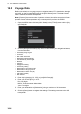
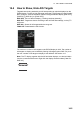
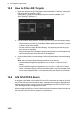

14. AIS TARGET FUNCTIONS
14-3
Note 1: The equipment continues to process AIS targets when the AIS feature is
switched off. When the AIS is again turned on, symbols are immediately displayed.
Note 2: AIS symbols are momentarily erased after the screen is redrawn when the
heading is changed from the Head-up mode.
Note 3: When no AIS data is received, the Alert 380 "AIS COM Error" appears in the
[Alert] box. Check the AIS transponder.
Note 4: A target is declared a lost target if it is not detected in five consecutive report-
ing periods.
Note 5: The color of the AIS symbols can be changed. See section 13.2.2.
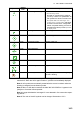
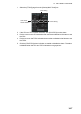
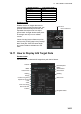
Green No heading/COG target
AIS symbols are shown in a broken lines
in the following cases:
• No water or ground tracking speed of
your ship, or there is no speed data. All
AIS symbols are shown in broken lines.
• No speed data from AIS target. The
symbol of the corresponding AIS target
is shown in broken lines. A target with
neither a reported heading nor COG is
oriented toward the top of the operation-
al display area.
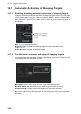
Green Heading-turn indicator Shows target's direction of turning.
Green AIS ATON Aids to navigation
Green Virtual AIS ATON Denote virtual AIS
Green SAR-AIRCRAFT
Green AIS base station
Green AIS SART
Green AIS select symbol Target selected to display its data.
Red AIS lost symbol X is superimposed on the AIS target sym-
bol and is flashing.
Symbol
Default
color
Name Description
ABC
ABC