
Operator's Manual





13. TRACKED TARGET (TT) FUNCTIONS
13-3
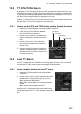
13.3 TT CPA/TCPA Alarm
A dangerous TT is one whose CPA and TCPA are within the range of the CPA and
TCPA limits set on the [TT/AIS] page in the [Overlay/NAV Tools box]. A dangerous TT
is displayed as a blinking target symbol in red until you acknowledge the "TT CPA/TC-
PA" alert. Then the target symbol is displayed in red color.
When a TT whose CPA or TCPA is within the limits set here the buzzer sounds and
the Alert 526 "TT CPA/TCPA" appears in the [Alert] box.
13.3.1 How to set the CPA and TCPA limits, enable, disable the alarm
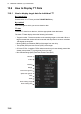
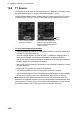
1. Select the [TT/AIS] page from the [Overlay/NAV Tools] box.
2. If the CPA and TCPA alarm is disabled,
click [CPA/TCPA] to activate it.
3. Put the cursor on the CPA indication then
use the scrollwheel or left button to set the
CPA.
4. Put the cursor on the TCPA indication
then use the scrollwheel or left button to
set the TCPA.
5. Click the [CPA/TCPA] alarm indication to
enable or disable the alarm. The alarm is
disabled when the CPA and TCPA indica-
tions are greyed out.
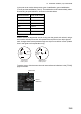
13.4 Lost TT Alarm
A lost TT is displayed on the ECDIS as a blinking target symbol in red. You can set
how the lost TT alarm sounds against lost targets as shown below.
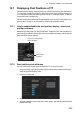
13.4.1 How to enable, disable the lost TT alarm
1. Select the [TT/AIS] page from the [Overlay/NAV
Tools] box.
2. Put the cursor on the Lost TGT indication then push
the left button to display [OFF], [FILT], or [ALL].
OFF: Disable lost target alarm
FILT: Alarm sounds against TT meeting a specific
criteria.
ALL: Alarms sounds against all lost TT.
When a lost TT is within the limits set here the buzzer
sounds and the Alert 527 "TT Lost" appears in the [Alert]
box.
CPA/TCPA
alarm ON/OFF
CPA setting
TCPA setting
0.5NM
3min
AUTO ACT ALL