
Operator's Manual

8. CHART ALERTS
8-7
8.4 Route Monitoring
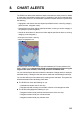
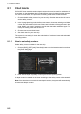
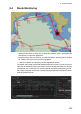
• When the ship enters a check area, a visual alert (caution level) is generated. Nei-
ther objects or routes are highlighted.
• When the ship enters a check area, a visual alert (alarm, warning level) is generat-
ed. Objects and routes in the area are highlighted.
• A red box indicates an area having several highlighted objects.
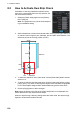
The system has a route monitor that facilitates safe use of routes. You can check your
route plan for safe water and you can attach a user chart and Notes that you intend to
use together with a route plan. To show the [Route Information] dialog box, get into
the Voyage navigation mode, then click the [Route] and [Route Information] buttons.
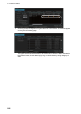
Click the [Waypoints] tab.