
Operator's Manual





5. VECTOR (S57) CHARTS
5-7
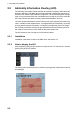
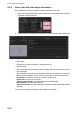
1. Get into the Voyage navigation mode or Voyage planning mode then rIght-click an
object to show the context-sensitive menu. (The menu shown below appears in
the Voyage navigation mode.)
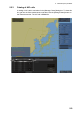
2. Click [Object INFO] to show the [Select Object] dialog box.
3. Click the object for which you want to know its details then click the [OK] button.
Note: If another window is active, the preview window may be partially obscured
by that window. Move the window to display the entire preview.
4. To print the chart object information, click the [Print Text] button. Below is a sam-
ple chart object printout.
Ship off center
Object INFO
Chart Legend
Manual Update
New Divider