
Operator's Manual
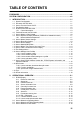
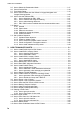
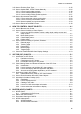
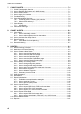
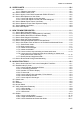
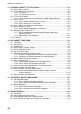
TABLE OF CONTENTS
viii
13. TRACKED TARGET (TT) FUNCTIONS.............................................................. 13-1
13.1 How to Show, Hide TT .............................................................................................13-1
13.2 TT Symbols and TT Attributes .................................................................................13-2
13.2.1 TT symbols...................................................................................................13-2
13.2.2 TT symbol color and size .............................................................................13-2
13.3 TT CPA/TCPA Alarm ...............................................................................................13-3
13.3.1 How to set the CPA and TCPA limits, enable, disable the alarm.................13-3
13.4 Lost TT Alarm...........................................................................................................13-3
13.4.1 How to enable, disable the lost TT alarm.....................................................13-3
13.4.2 How to set the lost TT alarm filter ................................................................13-4
13.5 How to Set Vector Length and Vector Motion ..........................................................13-4
13.6 How to Display TT Data ...........................................................................................13-6
13.6.1 How to display target data for individual TT .................................................13-6
13.7 Displaying Past Positions of TT ...............................................................................13-7
13.7.1 How to enable/disable the past position display, select past
position reference.........................................................................................13-7
13.7.2 Past position point attributes ........................................................................13-7
13.8 TT Source ................................................................................................................13-8
14. AIS TARGET FUNCTIONS ................................................................................. 14-1
14.1 Introduction ..............................................................................................................14-1
14.2 AIS Symbols.............................................................................................................14-2
14.3 Voyage Data ............................................................................................................14-4
14.4 How to Show, Hide AIS Targets...............................................................................14-5
14.5 How to Filter AIS Targets .........................................................................................14-6
14.6 AIS CPA/TCPA Alarm ..............................................................................................14-6
14.7 Automatic Activation of Sleeping Targets ................................................................14-8
14.7.1 Enabling, disabling automatic activation of sleeping targets........................14-8
14.7.2 Conditions for automatic activation of sleeping targets................................14-8
14.8 How to Sleep All Activated Targets..........................................................................14-9
14.9 AIS Lost Target Alarm..............................................................................................14-9
14.9.1 How to enable, disable the AIS lost target alarm .........................................14-9
14.9.2 How to set the AIS lost target alarm filter...................................................14-10
14.10Vector Length, Vector Stabilization in True Motion Mode .....................................14-10
14.11How to Display AIS Target Data............................................................................14-11
14.12How to Display AIS Target Past Positions.............................................................14-13
14.12.1How to enable/disable the past position display, set past
position reference.......................................................................................14-13
14.13How to Display Own Ship Data .............................................................................14-13
15. AIS SAFETY, NAVTEX MESSAGES.................................................................. 15-1
15.1 AIS Safety Messages...............................................................................................15-1
15.1.1 How to send an AIS safety message ...........................................................15-1
15.1.2 How to manage received and sent AIS safety messages............................15-2
15.2 Navtex Messages.....................................................................................................15-3
15.2.1 How to receive Navtex messages................................................................15-4
15.2.2 How to manage received Navtex messages................................................15-5
16. RADAR OVERLAY ............................................................................................. 16-1
16.1 Introduction ..............................................................................................................16-1
16.2 How to Setup the Radar Overlay .............................................................................16-2
16.3 Error Between Radar Echo Image and Chart ..........................................................16-3
16.4 Error Sources for Radar Echo Image and TT Mismatch ..........................................16-4