
Certification


FMD ECDIS Public Key Installation
The
procedure
below shows how to install a public key. Public keys are used with ENC
charts that support S-63 authorization. The public key is pre-installed; however, you
must install a new public key whenever you install new chart or updates to existing
charts.
Generally, there are two types of public keys:
• RENC: For example, Primar (file name: PRIMAR.PUB)
• JHA (file name: IHO.PUB)
You must load a public key whenever you load a chart.
1. Insert the media that contains the public key.
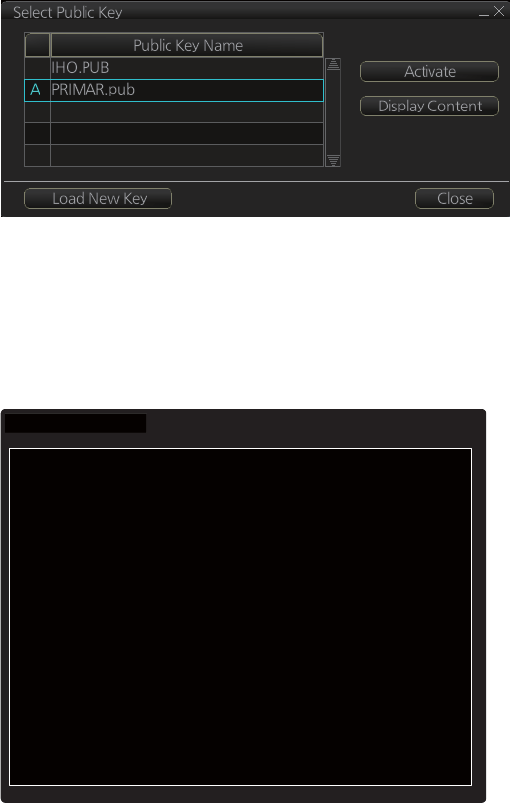
2. Get into the chart maintenance mode then click the [Public Key] button on the In-
stant Access Bar.
3. Click the [Load New Key] button to show the [Open File] dialog box.
4. Select the applicable .pub file from the [Open File] dialog box then click the [Open]
button. The [Public Key] dialog box
reappears.
5. Click the [Display Content] button on the [Public Key] dialog box to show the dis-
play contents.
//BIG
p
FCA6 82SE
8E12
CABA
26EF
CCF7
110E
526D
B078
B05E DECB CD1E
B4A2 08F3 AE16 17AE
01F3 5B91 A47E 6DF6 3413 C5E1 2ED0
8998
CD13 2ACD 50D9 9151
BDC4 3EE7
3579
2E17
//BIG
q
FCA6 82SE
8E12
CABA
26EF
CCF7
110E
526D
B078
B05E DECB CD1E
B4A2 08F3 AE16 17AE
01F3 5B91 A47E 6DF6 3413 C5E1 2ED0
8998
CD13 2ACD 50D9 9151
BDC4 3EE7
3579
2E17
6. To accept the contents, click the [Activate] button.