
Installation Guide

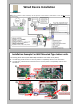



Settingup
Devicewillblinkinthefollowingsequence:
*Note:IftheWi‐Fideviceisnot connectingtoyourWi‐Finetwork.Pleasere‐checkthefollowing
andstartfromstepone.
• Check Wi-Fi Signal Strength
• Check if internet service is active (Connect to Wi-Fi network with smart phone to verify the internet connection is working)
• Make sure you are selecting the right network.
• Make sure you are entering your network password properly (Case sensitive)
Pressandholdfor
10secondsand
releasetheback
buttononthe
device.
AfterVerifyingthesepoints:
1) 2)
LEDturnssolidgreen
3)GobacktoStepnumberOneand
startagain
7
Done!
https://user.intesishome.com/login
8
Fillformtocreateaccount.
Click
Newuser:Thepictureabove
willautomaticallyasktoadda
device.
Note*ConfirmtheIntesisHomeEmailbef oremovingtostep8b.
Registrationnumberislocatedinthe
backofthephysicalWi‐Fidevice,Boxor
manual.
Oncethedeviceisregister.Youare
nowreadytocontrolyoursystem.
Download IntesisHome
applicationfrom:
8c
IOS Android
Signinwithyournew
accountandenjoy
controllingyourFujitsu
system!
Registering
Gotowebsite
https://user.intesishome.com/login
8b
8a