
Installation Manual






IntesisHome
®
IS-IR-WIFI-1 User Manual r1.2 eng
© Intesis Software S.L. - All rights reserved
This information is subject to change without notice
IntesisHome
®
is a registered trademark
of Intesis Software SL
URL
Contact
http://www.intesishome.com
http://www.intesishome.com/contact
17 / 23
6.2 Manual mode
If instead of using the IR remote controller of your AC unit, you want to use our web interface,
please visit user.intesishome.com and follow instructions next:
1. Make sure that you have your IntesisHome device Wi-Fi configured.
2. Make sure that you have your IntesisHome device registered (see section 7).
3. Go to the settings/device section.
4. Press “manual mode” (Check Figure 6-1).
Figure 6-1 Manual mode activation
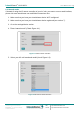
5. Select your AC unit brand and model (check Figure 6-2).
Figure 6-2 Brand and model selection