
Installation Guide




Settingup
7
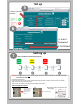
Devicewillblinkinthefollowingsequence:
*Note:IftheWi‐Fideviceisnot connectingtoyourWi‐Finetwork.Pleasere‐checkthefollowing
andstartfromstepone.
• Check Wi-Fi Signal Strength
• Check if internet service is active (Connect to Wi-Fi network with smart phone to verify the internet connection is working)
• Make sure you are selecting the right network.
• Make sure you are entering your network password properly (Case sensitive)
Pressandholdfor
10secondsand
releasetheback
buttononthe
device.
AfterVerifyingthesepoints:
LEDturnssolidgreen
3)GobacktoStepnumberOneand
startagain
1) 2)
Setup
5
SelectyourWi‐Fi
network
6
ClickNext
Insert
Password