
Installation Guide


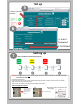


SettingupWireless Device
Beforestarting
AB
Youneedthefollowing:
• IntesisHomeDevice
• Wi‐FiDevice(laptop/smartphone/tablet)
• AccessPointorRouter
• QuickStartGuide/Installmanual
FJ-IR-WIFI-1NA
7FtMax
Getclosetothedevice
OK
CheckWi‐FiSignalstrengthonthe
placementlocation.
• If you don’t have enough Wi-Fi signal:
a. Try to install the IntesisHome device in another place
b. Move the router closer to Wi-Fi module.
• If you have enough Wi-Fi signal then proceed to install.
AB
4
4
FJ-IR-WIFI-1NA
Powersupply
Recommended for the following indoor types:
• Wall mounted
•Floor
• Compact Cassettes
ToupdatetheAppstatusaccordingtothelast
commandsentfromtheFujitsuwireless
remotecontroller.UsethefollowingWi‐Fi
modulemountingpositionillustratedbelow
whensendingsignalfromthewireless
remotecontroller.
Possiblemountingpositions
WirelessDeviceInstallation
D
IREmitter 1
IRReceiver
IREmitter 2
20ft max
10ft____
10ft
20ftdirect
10ft10ft+
Total=20ftmax
+__
Total:20ft