
Electronic Accessory User Manual


Table Of Contents
- 1. Getting Started
- 2. Quick Guide to Product Features
- 3. BOOKS Menu
- 3.1 Search Feature
- 3.2 Collins Dictionaries
- 3.3 Diccionario General de la Lengua Español Vox
- 3.4 Merriam-Webster’s Advanced Learner’s English Dictionary
- 3.5 Diccionario Merriam-Webster de Sinónimos y Antónimos en Inglés
- 3.6 Visual Dictionaries
- 3.7 Merriam-Webster’s ALD Supplemental Data
- 3.8 Franklin Thesaurus
- 3.9 Looking Up Inflections
- 3.10 Inflected Form Searching
- 3.11 Misspelling Words
- 3.12 Confusable Words
- 3.13 Uncertain Spellings
- 3.14 Searching for Idioms, Usage Examples and Collocations
- 3.15 Highlighting Words
- 3.16 Adding Words to My Word List
- 3.17 Hints on Inputting Words
- 4. LEARN Menu
- 5. EXERCISES Menu
- 6. TOOLS Menu
- 7. SETTINGS Menu
- 8. General Controls
- 9. PC Connections
- 10. Additional Information
- 11. Warranty Information
16
• [Inec.]: Shows inections/
conjugations. See 3.9 Looking Up
Inections.
• [Thes]: Looks up the current word
in the Thesaurus. See 3.8 Franklin
Thesaurus.
3.5 Diccionario Merriam-
Webster de Sinónimos y
Antónimos en Inglés
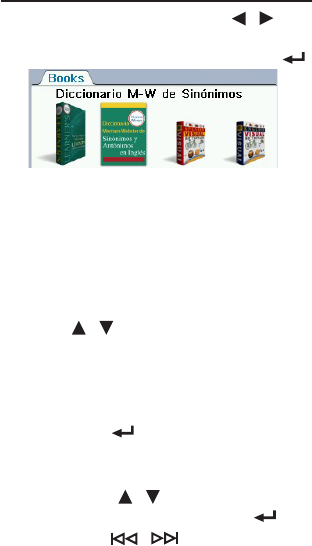
1. In the Books menu, press /
to select “Diccionario M-W de
Sinónimos” and then press OK / .
2. Type a word.
• See 3.17 Hints on Inputting Words.
• Witheachletteryoutype,the
resulting list of potential matching
entries is refreshed. If the letters you
typed match an entry in the word list,
it is automatically highlighted. Or,
press / to select another word
entry you see in the word list.
• Whenanentryishighlightedfor
about 3 seconds, a preview will show
automatically on the right.
3. Press OK / to view the entry.
• See 1.7 Browsing in the Device.
• Iftherearemultipleformswithinan
entry, press / to select the one
you want and then press OK / .
• PressFN + / to go to the
previous or next entry in the
dictionary or in a list of multiple